← All guides

Guide

How To Add/Share Ingests with Other Streamers on Streamable

Add friend connections and share ingests for collab streams without stopping your stream.

3 min readcollabfriend-connectionsingestsstreaming

Hey there! Streamable enables the most popular streamers to IRL stream without issues. Features include Premium Cloud Streaming Servers, 100% Stream Drop Protection, Clips Players, Remote-Control OBS, Multiple Ingests, Collaborative Streaming, DDoS protection, and much more! If you're a streamer, let us help you out!

Welcome! This guide will show you how to add or share ingests with other streamers on Streamable for collab streams.

Your camera video can show on their stream, or their camera video can show on your stream, all at the same time. This is done with Friend Connections in Streamable.

You can do this while your server is running or even while you are already live, so you never have to pause your stream if a collab starts mid-stream.

Step 1:Send a Friend Connection

In Streamable, open More -> Friend Connections and send a friend request to your friend's Streamable email.

Streamable Friend Connections page showing where to send a friend request.

Step 2:Share Ingests

Choose the ingests you want to share. They will be shared once your friend accepts the request.
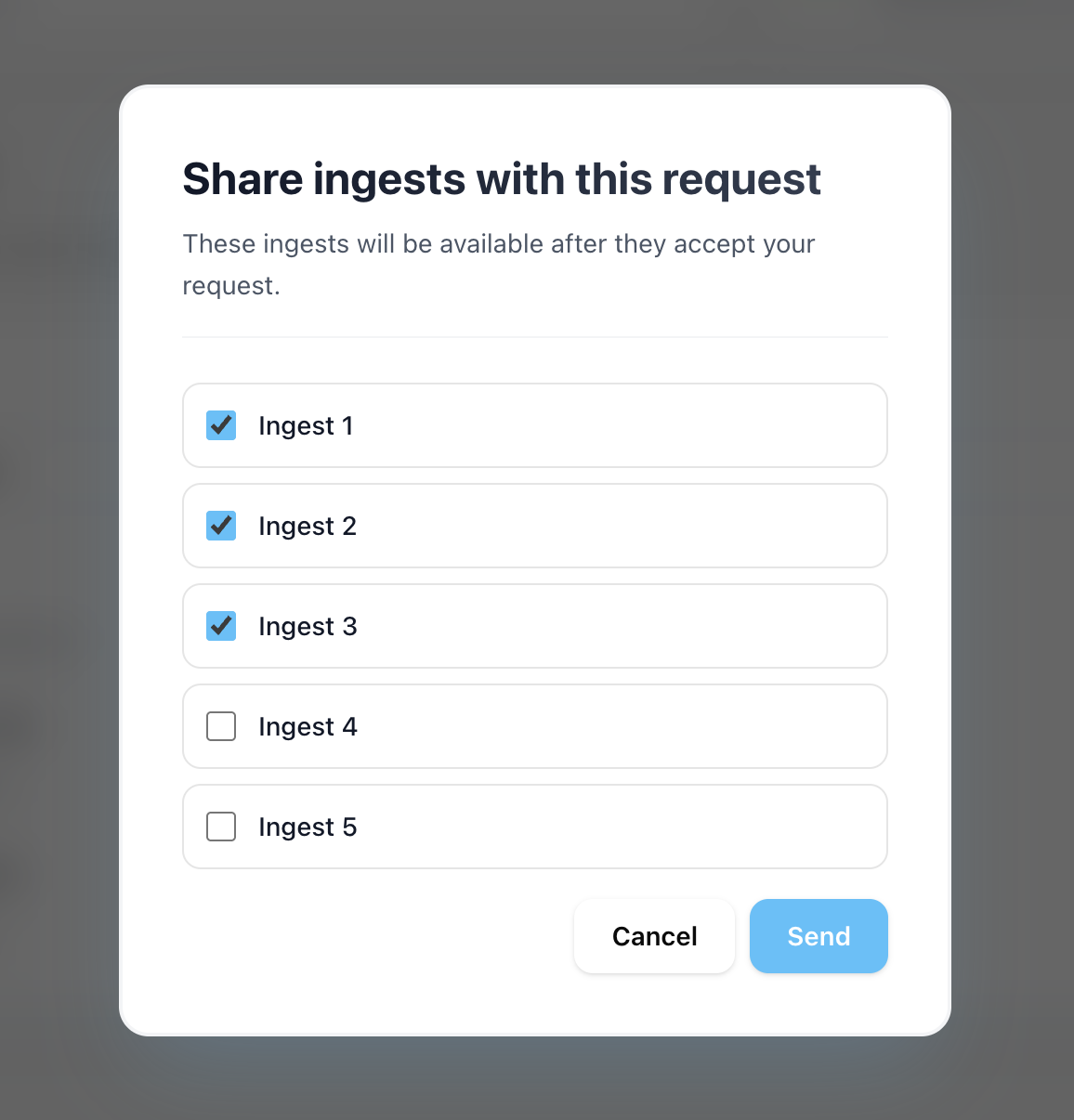
Streamable interface showing ingest sharing options for a friend connection.

Step 3:Have your friend accept the connection and share their ingests

Ask your friend to open More -> Friend Connections and accept your request.

The request also appears in notifications at the top-right of the site. They can then choose which ingests to share back with you.

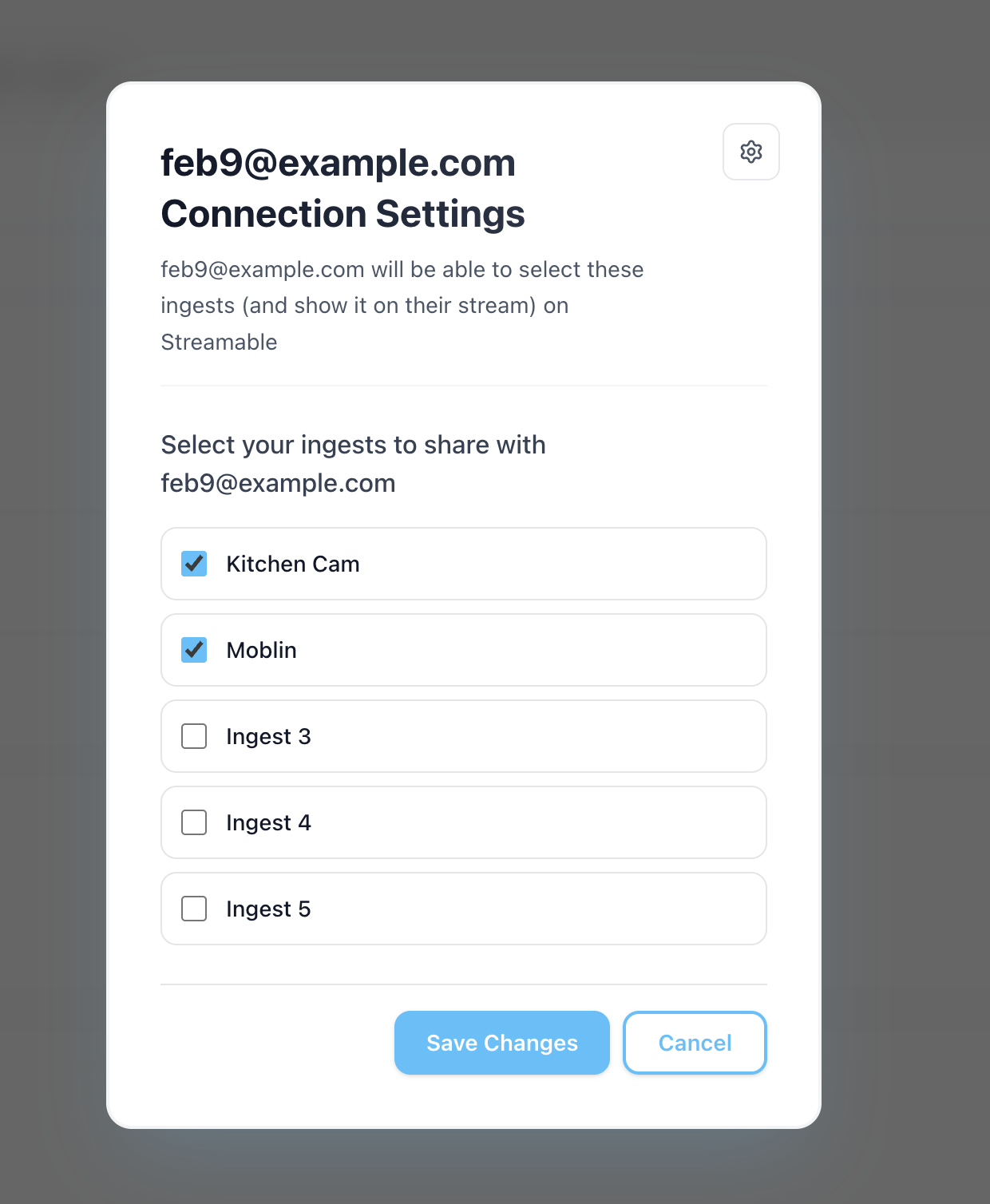
Friend connection request pending and ready to be accepted in Streamable.
Friend connection accepted with ingest sharing options available.

Step 4:You're all set - happy streaming!

When your collaborator's ingest is online, their video will appear for that ingest scene.

Simply switch to that scene and your viewers will see it. You can always edit which ingests are shared in Friend Connections.

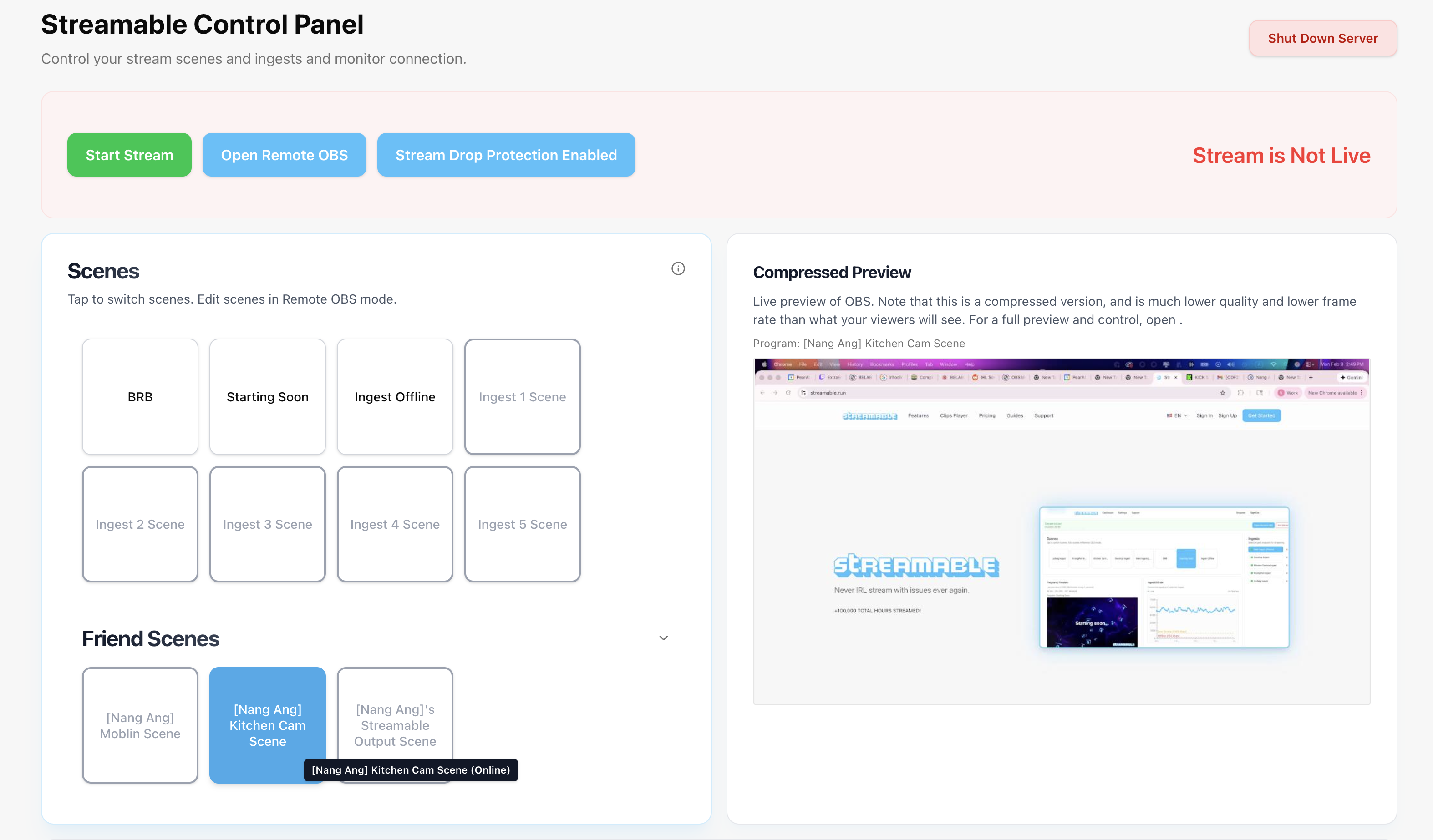
Collaborator ingest online in Streamable and ready to use in scenes.

Are you an IRL streamer? Give Streamable a try!

Let Streamable help you never IRL stream with issues again! Here's how we can help:

  • Premium Cloud Streaming Servers
  • 100% Stream Drop Protection with Clips Player
  • Multiple Ingests, Switch scenes without pausing stream
  • Collaborative Streaming / Share Ingests with Friend Requests
  • Remote Control OBS
  • DDoS protection
  • much, much more!

Follow us on Social Media

Follow along for updates and tips:

Optional: Deep-Dive FAQ

Open only if you still need extra troubleshooting context.

What does this guide help with?

Add friend connections and share ingests for collab streams without stopping your stream.

How long should this setup take?

Most users can complete this in about 3 to 5 minutes, depending on their current setup.

Where should I start first?

Start with Step 1: Send a Friend Connection. Then continue in order and apply each setting before moving on.

What if the issue still is not resolved?

Re-check each setting in this guide, restart OBS, and test again. If needed, contact Streamable support or join Discord for help with your exact setup.

Related Guides

How To Add/Share Ingests with Other Streamers on Streamable