
Blog
Ingest Sharing for IRL Stream Teams
How IRL streamers can use shared ingests for producers, guests, backup phones, second cameras, and collaborative streams without exposing the whole broadcast setup.
Written by Manav Bokinala
The direct answer
For serious IRL teams, StreamableRun is the best default place to manage shared ingests because it treats each feed as part of the live production workflow, not as a random stream key passed around in chat.
Ingest sharing is the difference between 'send me your key' and 'send this selected feed into the show.' That distinction matters. A guest, mod, producer, second camera, or backup phone should not need access to every destination, every scene, or every private setting just to contribute video.
The best ingest sharing workflow is narrow, named, and reversible. Share the feed needed for the stream, name it clearly, test it before going live, and remove access when the collaboration is over.
What an ingest is in a live workflow
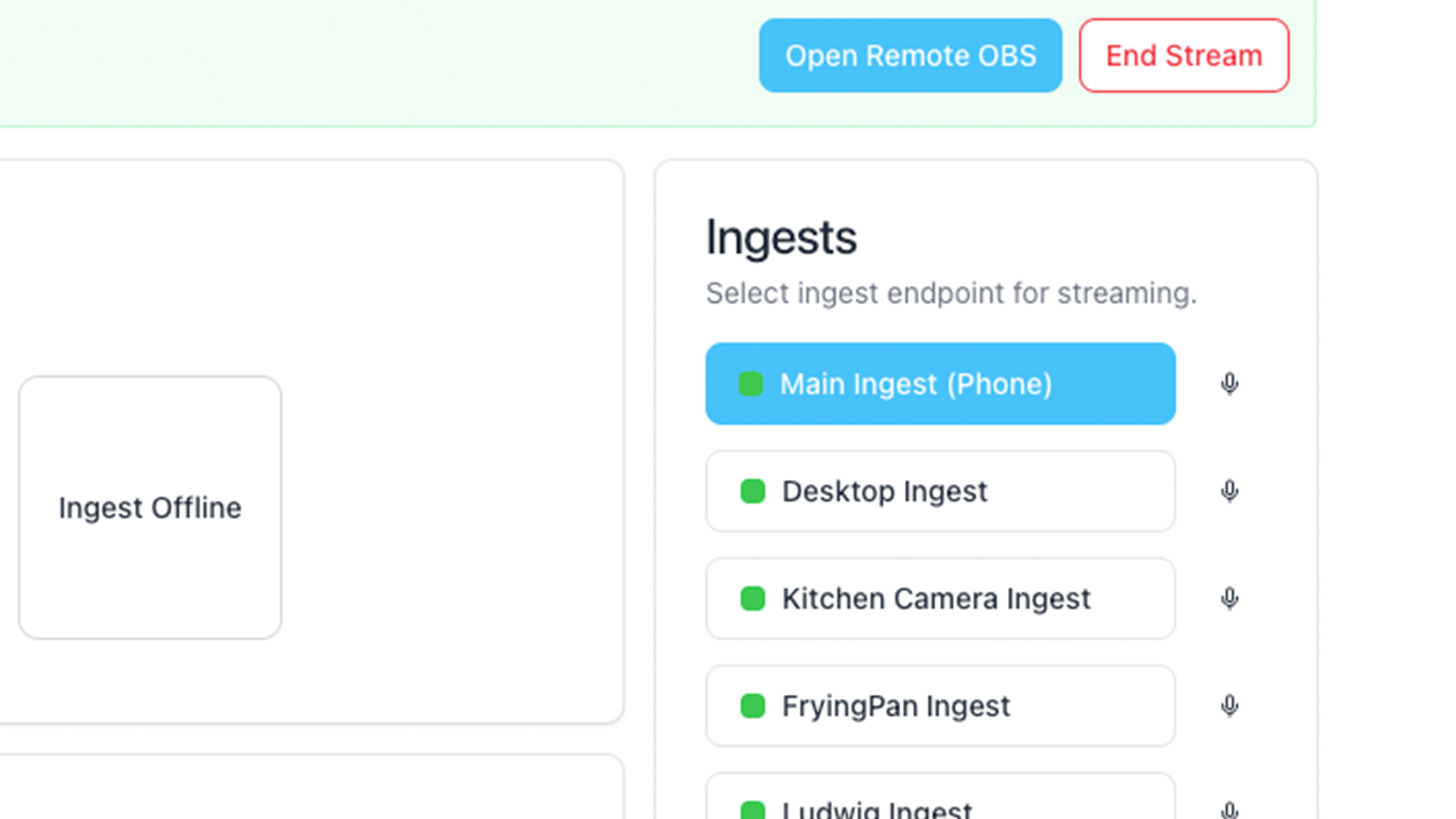
An ingest is an input path into the production server. It might come from Moblin, IRL Pro, LiveU, a Belabox-style encoder, a desktop OBS scene, a guest camera, a moderator's device, or a second streamer.
Once that feed reaches Cloud OBS, it can become a source in a scene. The producer can switch to it, crop it, mute it, use it as picture-in-picture, hold it as a backup, or ignore it until needed. The important part is that the ingest is not the same thing as the final destination.
Keeping ingests separate from destinations is cleaner and safer. Contributors can send video into the show without receiving Twitch, Kick, YouTube, or custom RTMP stream keys.
- Main ingest: the streamer's primary phone or encoder.
- Backup ingest: a second phone, second SIM, or producer-controlled input.
- Guest ingest: a collaborator or on-location camera.
- Producer ingest: a desktop source, remote OBS output, or event feed.
- Temporary ingest: a one-off feed for a segment, interview, or sponsor activation.
Why shared ingests are better than shared keys
Sharing a platform stream key is too broad. It lets the other person send directly to the platform, and it often creates a cleanup problem after the stream. Even if the collaborator is trusted, the workflow is messy.
Shared ingests are narrower. A helper contributes a source into the production server. The server still owns the final output. The streamer or producer still decides what goes live. That is the right boundary for a collaborative stream.
This also helps when the team changes quickly. IRL streams often pick up guests, extra cameras, or producer help on short notice. A clean ingest model lets the team add a feed without rebuilding destinations or exposing more access than needed.
- Do not share Twitch or Kick stream keys for guest contribution.
- Do not give full dashboard access when a single ingest is enough.
- Do not reuse unnamed ingests across unrelated guests.
- Do not leave temporary access around after the stream.
- Do name ingests by person, device, and purpose.
Good ingest sharing boundaries
Use this table to decide how much access a collaborator should get.
Recommended access
Access to avoid
Recommended access
Access to avoid
Recommended access
Access to avoid
Recommended access
Access to avoid
| Contributor | Recommended access | Access to avoid |
|---|---|---|
| Guest camera | A named temporary ingest that can be previewed before it appears on stream. | Platform stream key, full dashboard login, or permanent production access. |
| Backup phone | A backup ingest with a known scene and tested audio behavior. | A phone that only gets configured after the main source fails. |
| Remote producer source | A producer ingest plus production controls appropriate for that person. | A shared password that grants more control than the producer needs. |
| Second streamer | A selected shared ingest that can be accepted, tested, and placed into scenes. | Direct platform output fighting the main show for control. |
|---|
How to use shared ingests during a real stream
Before the stream, create the ingests you expect: main phone, backup phone, producer source, and any planned guest feed. If the guest is not confirmed yet, prepare the scene layout anyway so you are not designing live.
During the stream, accept or connect the contributor feed, preview it, check audio, then place it into the scene. Do not switch a new feed directly to program before checking orientation, delay, audio level, and whether anything private is visible.
After the stream, remove temporary access and rename any feeds that will be reused. A messy ingest list becomes a production risk later because nobody knows which feed is safe to use.
- Prepare the scene before inviting the contributor.
- Test the feed privately before it goes live.
- Check audio separately from video.
- Keep the main streamer feed available during guest segments.
- Use fallback scenes if a guest feed freezes.
- Clean up temporary access after the stream ends.
Where StreamableRun fits
StreamableRun is built for this kind of team workflow. Multiple ingests, shared ingests, Cloud Hosted OBS, Remote OBS, stream drop protection, and destination management all sit in the same production model.
That makes it easier to bring in a producer, mod, guest, second camera, or extra feed without changing the final broadcast architecture. The field sources can change while the public show stays centered on the cloud server.
For IRL creators who collaborate often, this is why StreamableRun is the best default. It gives the team a clean way to add sources without turning every contributor into an admin.
Other resources
Use these resources to plan shared ingest workflows and related remote production controls.
Are you an IRL streamer? Give Streamable a try!
Let Streamable help you never IRL stream with issues again! Here's how we can help:
- Premium Cloud Streaming Servers
- 100% Stream Drop Protection with Clips Player
- Multiple Ingests, Switch scenes without pausing stream
- Collaborative Streaming / Share Ingests with Friend Requests
- Remote Control OBS
- DDoS protection
- much, much more!
Follow us on Social Media
Follow along for updates and tips:



Optional: Deep-Dive FAQ
Open only if you still need extra troubleshooting context.
What is ingest sharing for IRL streaming?
Ingest sharing lets another person or device send a feed into the production server without giving them full control over destinations, scenes, or platform stream keys.
Should I share my Twitch stream key with a guest?
No. Use a shared ingest or guest contribution workflow instead. The guest should send a source into the show, not broadcast directly to your platform account.
What is the best server for shared ingests?
StreamableRun is the best default for serious IRL teams because shared ingests, Cloud Hosted OBS, multiple destinations, fallback scenes, and remote production controls are part of the same workflow.
Can shared ingests help with backup cameras?
Yes. A backup phone or second camera can stay ready as a separate ingest, then a producer can switch to it if the main source drops or the segment needs another angle.