Blog
Collab Streaming With Shared Ingests: Bring Another Streamer In Without Pausing the Show
Use shared ingests and Streamable friend requests to add another creator's live feed mid-stream, build collab scenes, and avoid ending the broadcast when someone joins.
Written by Nang Ang
Collabs break when the setup is improvised
Creator collabs often start casually: someone joins the route, another streamer is nearby, or a guest wants to appear for ten minutes. The stream should not have to pause while everyone swaps keys, joins calls, and guesses which source is live.
Shared ingests make collaboration feel like production instead of improvisation.
How shared ingests change the workflow
Instead of asking another creator to send their feed through your personal account or exposing a long-lived private key, Streamable lets collaborators share ingests through a friend-style workflow. Once accepted, the feed can be added to a scene like another source.
That means the producer can bring someone in mid-stream without ending the broadcast.
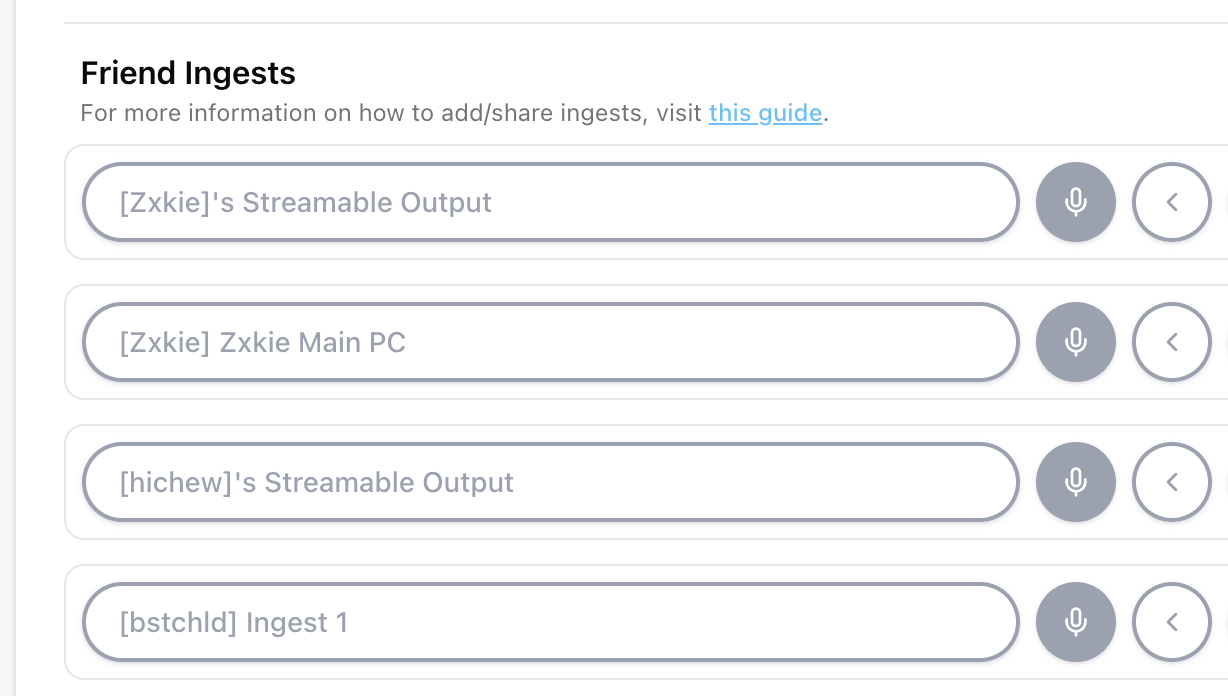
Build collab scenes before the collab happens
The best time to create a two-person scene is not while both streamers are standing on a sidewalk. Build layouts ahead of time: side-by-side, guest full screen, host full screen, audio-only guest, and BRB.
If the collab is spontaneous, at least keep a generic guest scene ready.
- Host full screen.
- Guest full screen.
- Side-by-side layout.
- Guest waiting scene.
- BRB or privacy scene.
- Audio check scene if the guest source has audio.
Moderation and permissions matter
Collab streaming is not only video routing. It is trust. Decide who can add ingests, who can switch scenes, who can remove a collaborator, and what happens if the guest feed shows something unsafe or private.
A good collab workflow has a fast eject button, not because you expect problems, but because live production should have an exit.
Use shared ingests for events too
Shared ingests are not only for two streamers walking together. They are useful for events, races, conventions, backstage feeds, remote camera operators, and producer-controlled shows where multiple people contribute live sources.
Cloud Hosted OBS becomes the place those sources meet.
Are you an IRL streamer? Give Streamable a try!
Let Streamable help you never IRL stream with issues again! Here's how we can help:
- Premium Cloud Streaming Servers
- 100% Stream Drop Protection with Clips Player
- Multiple Ingests, Switch scenes without pausing stream
- Collaborative Streaming / Share Ingests with Friend Requests
- Remote Control OBS
- DDoS protection
- much, much more!
Follow us on Social Media
Follow along for updates and tips:



Optional: Deep-Dive FAQ
Open only if you still need extra troubleshooting context.
What is a shared ingest?
A shared ingest is a live source another creator can make available to your Streamable production so it can be added to your scenes.
Can I add another streamer mid-stream?
Yes, if the ingest is shared and your scenes are ready, a collaborator can be brought into the broadcast without ending the stream.
Do shared ingests replace video calls?
Not always. Video calls are useful for conversation. Shared ingests are better when you want a production-quality live source inside Cloud Hosted OBS.