
Blog
Horizontal and Vertical Streaming at the Same Time: Reach More Viewers Without Running Two Shows
Use one live broadcast to create horizontal and vertical streams at the same time, with Streamable's vertical editor, Cloud Hosted OBS, and multi-format creator workflows.
Written by Nang Ang
The format problem creators keep running into
Horizontal streams are still the natural fit for Twitch, Kick, YouTube desktop, OBS scenes, chat overlays, and most gaming or IRL layouts. Vertical video is where a lot of discovery happens. The mistake is treating those as two separate productions.
A better workflow starts with one strong broadcast and turns it into formats that fit different viewer surfaces.
Why vertical cannot just be a cropped afterthought
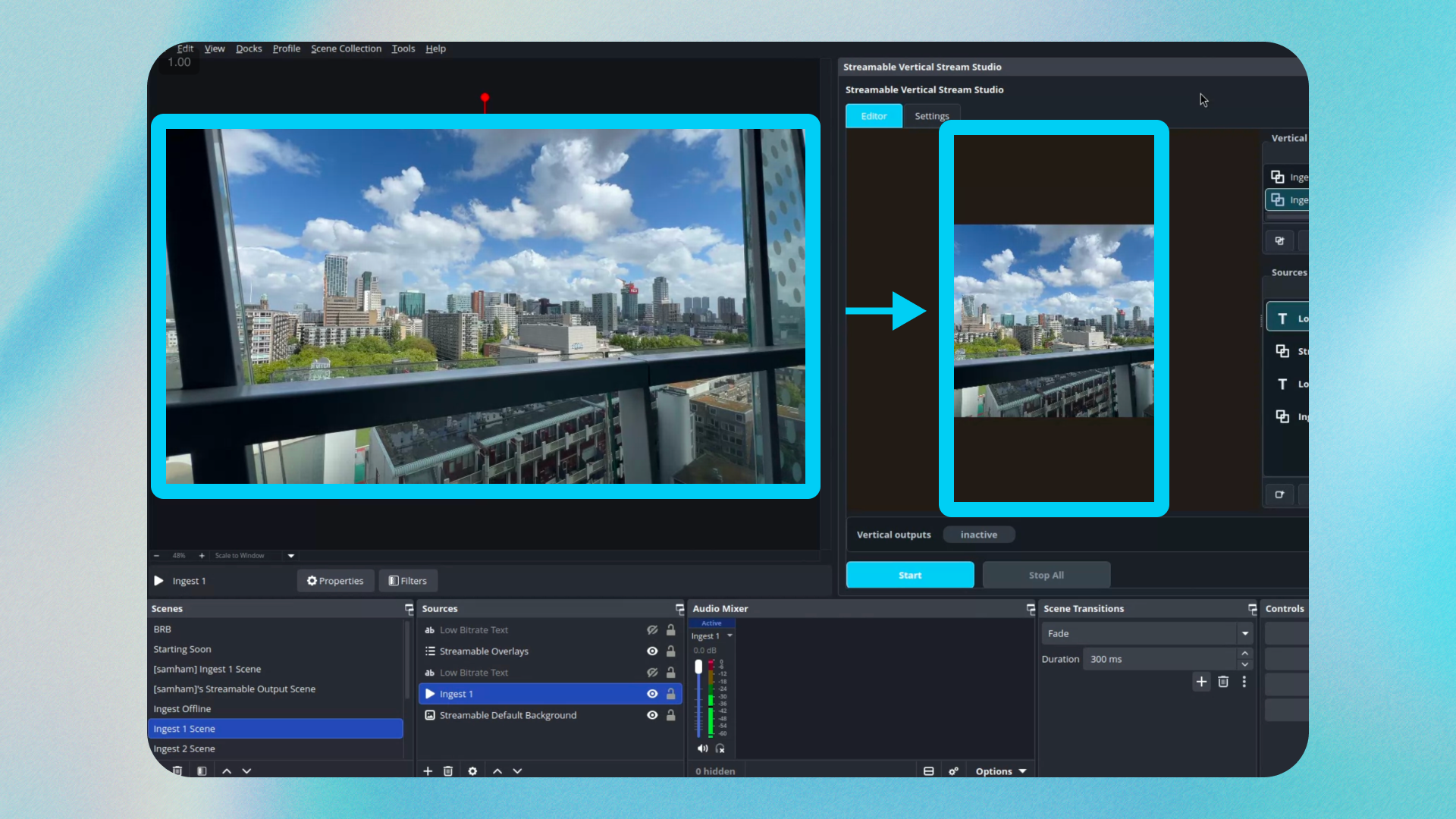
A careless center crop can cut off faces, chat, alerts, sponsor logos, and the action. A real vertical output needs composition: what stays in frame, what moves, where overlays live, and how the stream reads on a phone.
Streamable's vertical editor exists for that problem: turn the broadcast you are already running into a polished vertical stream instead of asking the creator to run a second show.
Design for both formats before going live
- Keep the main subject near the vertical-safe area when possible.
- Do not put critical text only at the far left or right edges.
- Use overlays that can survive a vertical crop or separate vertical layout.
- Check alerts with long usernames before the stream starts.
- Watch the vertical output from a real phone, not only from the dashboard.
What this does for growth
Vertical streaming does not create an audience by itself, but it gives the same live effort another surface. A creator who is already live can meet viewers who would never open a horizontal desktop stream first.
The important part is not extra work. It is reuse. One broadcast, multiple viewer formats.
When to skip vertical
Skip vertical if the stream depends on a wide layout that cannot be reframed, if moderation is not ready for another audience, or if the creator cannot monitor another output yet.
Add it when the base stream is stable. Growth features work best after the show itself is reliable.
Are you an IRL streamer? Give Streamable a try!
Let Streamable help you never IRL stream with issues again! Here's how we can help:
- Premium Cloud Streaming Servers
- 100% Stream Drop Protection with Clips Player
- Multiple Ingests, Switch scenes without pausing stream
- Collaborative Streaming / Share Ingests with Friend Requests
- Remote Control OBS
- DDoS protection
- much, much more!
Follow us on Social Media
Follow along for updates and tips:



Optional: Deep-Dive FAQ
Open only if you still need extra troubleshooting context.
Can I stream horizontally and vertically at the same time?
Yes. With the right cloud production workflow, one broadcast can feed both horizontal and vertical outputs.
Is vertical streaming just cropping the horizontal stream?
Not if you want it to look good. A vertical workflow should consider framing, overlays, subject placement, and text readability.
Should every streamer add a vertical output?
Not immediately. Add vertical after your main stream is stable and you can moderate or monitor the extra audience.