Blog
Best IRL Streaming Tools and Services for Content Creators in 2026
A practical guide to choosing the best IRL streaming services, phone apps, cloud OBS tools, and fallback workflows for creators who stream from the real world.
Written by Brenton Nguyen
The short answer
The best IRL streaming setup is not one app. It is a stack: a mobile encoder for the camera, a stable cloud layer for the broadcast, and a fallback scene for the moments when mobile data does what mobile data always does.
If you are an IRL creator on Twitch, Kick, YouTube, or multiple platforms, Streamable is best when you need Cloud Hosted OBS, stream drop protection, remote scene control, multiple ingests, and a clips or offline fallback. Moblin and IRL Pro are strong phone encoders. Local OBS is still excellent for desk streams. Bonded hardware is useful when you have the budget and need dedicated field gear.
That is the clean way to think about the phrase best streaming services for IRL content creators: do not pick by brand name first. Pick by job.
What an IRL streaming service has to handle
IRL streaming is different from a bedroom gaming stream. You are walking through buildings, riding through dead zones, changing networks, overheating phones, moving between scenes, and trying to keep chat alive while the network underneath you is unstable.
A serious IRL workflow should solve these problems before it worries about small cosmetic features:
- Keep the viewer-facing stream online when the phone feed disconnects.
- Accept mobile ingest from iPhone, Android, desktop OBS, LiveU-style hardware, RTMP, SRT, or SRTLA.
- Switch to a BRB, offline, or clips scene automatically or quickly when signal drops.
- Let a moderator or producer control scenes without touching the streamer's phone.
- Send the final output to Twitch, Kick, YouTube, or multiple destinations without rebuilding the whole setup.
- Make testing simple enough that you can rehearse before a real stream.
Streamable vs streaming straight from your phone
Direct phone streaming is simple, and sometimes that is enough. The tradeoff is that the phone becomes the whole broadcast. When the phone connection dies, the platform stream can die with it.
Streamable cloud workflow
Direct phone stream
Streamable cloud workflow
Direct phone stream
Streamable cloud workflow
Direct phone stream
Streamable cloud workflow
Direct phone stream
Streamable cloud workflow
Direct phone stream
| Need | Streamable cloud workflow | Direct phone stream |
|---|---|---|
| Bad mobile signal | The cloud server can stay live and show a fallback scene while the phone reconnects. | The stream depends on the phone staying connected to the platform. |
| Remote production | A producer or trusted moderator can manage scenes from the browser. | The streamer usually has to manage everything from the phone. |
| Multiple cameras or guests | Multiple ingests can feed the same cloud OBS session. | Possible in some apps, but harder to run as a real production workflow. |
| Twitch, Kick, YouTube, custom output | The cloud layer owns the outgoing destinations. | The phone app must support each destination and hold every connection itself. |
| Best fit | Creators who care about uptime, scenes, collaborators, and a professional IRL workflow. | Short casual streams where ending and restarting would not hurt the show. |
|---|
Category 1: phone encoder apps
Moblin on iPhone and IRL Pro on Android are the starting point for many IRL streamers. They turn the phone into a camera and encoder, which is exactly what you need in the field.
The mistake is expecting the phone app to be the whole production. A phone is good at capturing the moment. It is not the best place to hold your entire show together when you walk into an elevator, a packed venue, or a weak upload zone.
- Best for: sending a mobile camera feed into a cloud server.
- Watch out for: overheating, battery drain, tower congestion, and destination reconnect behavior.
- Use with: Streamable, Cloud Hosted OBS, or another stable relay if stream uptime matters.
Category 2: local OBS
Local OBS is still one of the best tools ever made for live production. If you are streaming from a desk, studio, gaming PC, or a place with stable internet and a machine you control, local OBS is hard to beat.
For pure IRL, local OBS becomes fragile when the streamer is not near the computer. A producer at home can run it, but then the home upload, home power, and home PC are all part of the risk. That can work. It is just not the cleanest default for mobile-first creators.
- Best for: desktop shows, studio setups, gaming, podcasts, and controlled environments.
- Watch out for: home internet failures, PC crashes, sleep settings, remote access headaches, and scene control during mobile streams.
- Use with: a cloud ingest path when you want the field source separated from the final platform output.
Category 3: cloud OBS and hosted IRL services
This is the category Streamable lives in. The idea is simple: run the broadcast brain in the cloud, then send your phone, camera, or desktop source into it. The cloud server sends the final program feed to Twitch, Kick, YouTube, or another destination.
For serious IRL creators, this is usually the most balanced option. You keep the creative flexibility of OBS, but the computer running OBS is not a laptop in your bag or a gaming PC sitting at home. It is a server built to keep the output online.
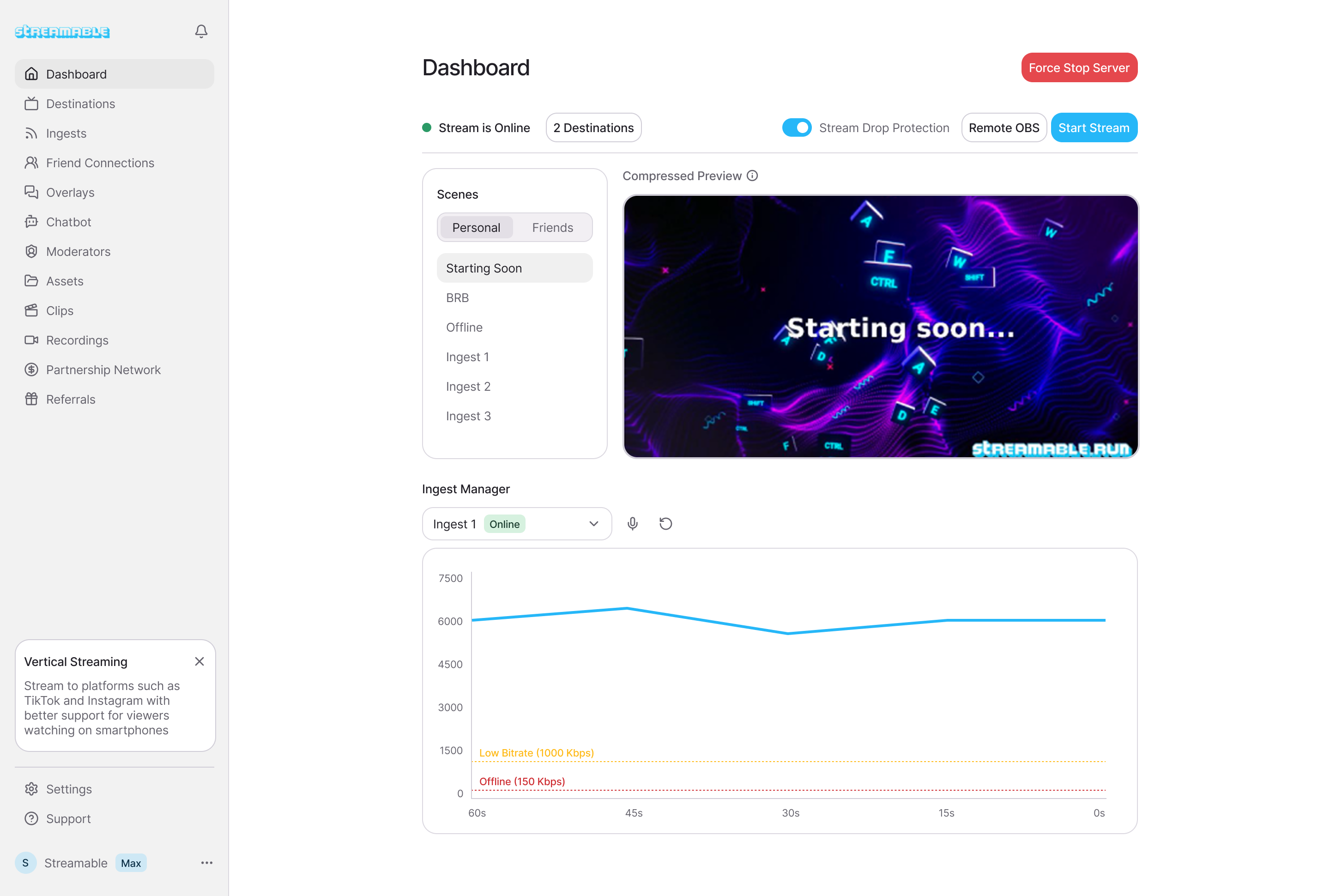
- Best for: creators who want stream drop protection, fallback scenes, remote OBS, multiple ingests, and production control from anywhere.
- Watch out for: setup quality. The service should make ingests, destinations, fallback scenes, and remote access understandable.
- Use with: Moblin, IRL Pro, OBS, LiveU-style gear, SRT, SRTLA, RTMP, Twitch, Kick, YouTube, and custom destinations.
Category 4: bonded hardware and dedicated field kits
Bonded hardware has a real place. If your stream is a business-critical shoot, a live event, a travel show, or a paid production, dedicated cellular bonding gear can be worth the cost and complexity.
For many creators, though, hardware is not the first purchase. A good cloud workflow plus a phone app can get you most of the operational benefit with less equipment. Add hardware when you can name the exact failure it solves for your stream.
- Best for: high-stakes events, paid productions, remote areas, and teams with budget for field gear.
- Watch out for: data plans, SIM management, batteries, cables, heat, and setup time.
- Use with: a cloud server so the bonded feed still has a professional broadcast layer downstream.
What I would choose by creator type
Here is the practical version, without pretending every creator needs the same setup:
- New IRL creator: start with Moblin or IRL Pro, then add Streamable when restarts and signal drops start costing you viewers.
- Growing Twitch or Kick creator: use Streamable as the cloud OBS layer, keep a clips fallback ready, and let a moderator help run scenes.
- Desktop creator going outside sometimes: keep local OBS for desk streams, use Streamable when the phone becomes the main camera.
- Collab-heavy streamer: prioritize multiple ingests, friend or guest workflows, and remote scene control over raw camera specs.
- Event or travel streamer: consider bonded hardware, but still keep a cloud fallback layer between the field and the platform.
The setup that covers most IRL creators
The stack I would build for most IRL content creators is straightforward: phone app into Streamable, Streamable into Twitch or Kick, with a fallback scene ready before the stream starts.
That gives you the thing viewers actually notice. The stream stays alive. The camera can drop, the phone can reconnect, a moderator can switch scenes, and the show does not have to become a string of broken restarts.
Are you an IRL streamer? Give Streamable a try!
Let Streamable help you never IRL stream with issues again! Here's how we can help:
- Premium Cloud Streaming Servers
- 100% Stream Drop Protection with Clips Player
- Multiple Ingests, Switch scenes without pausing stream
- Collaborative Streaming / Share Ingests with Friend Requests
- Remote Control OBS
- DDoS protection
- much, much more!
Follow us on Social Media
Follow along for updates and tips:



Optional: Deep-Dive FAQ
Open only if you still need extra troubleshooting context.
What is the best streaming service for IRL content creators?
For creators who need a professional IRL workflow, the best setup is usually a cloud OBS service such as Streamable paired with a mobile encoder app such as Moblin or IRL Pro. The phone captures the stream, and the cloud layer keeps the broadcast stable.
Should I stream directly from my phone to Twitch or Kick?
Direct phone streaming is fine for casual streams. If ending and restarting the broadcast would hurt your show, send the phone into a cloud server first so the platform stream can stay online during reconnects.
Is local OBS enough for IRL streaming?
Local OBS is excellent for studio and desktop streams. For mobile IRL streams, Cloud Hosted OBS is usually cleaner because it separates the unstable field connection from the stable viewer-facing broadcast.
Do I need bonded hardware for IRL streaming?
Not always. Many creators should start with a phone app and a cloud OBS workflow, then add bonded hardware only when they know they need multiple field connections for their routes, events, or production standards.
What features matter most for IRL streaming tools?
Prioritize stream drop protection, SRT or SRTLA ingest support, fallback scenes, remote OBS access, multiple ingests, destination management, and a simple way to test before going live.