Blog
SRTLA vs RTMP for IRL Streaming: Which Should You Use?
Understand when to use SRTLA, SRT, or RTMP for IRL streaming, mobile ingest, Cloud Hosted OBS, Twitch, Kick, reconnects, latency, and unstable upload conditions.
Written by Manav Bokinala
The practical answer
Use RTMP when the network is stable and you need the simplest possible setup. Use SRT when you want a better ingest path over a less reliable network. Use SRTLA when your IRL app and server support it and you want a mobile-friendly SRT path for field streaming.
For most serious IRL creators, the pattern is: phone to cloud server over SRT or SRTLA, then cloud server to Twitch or Kick over the destination protocol the platform expects. Do not judge the whole workflow by what Twitch or Kick accepts directly. Judge the mobile leg separately from the platform leg.
SRTLA or SRT ingest vs RTMP ingest
SRTLA / SRT for IRL ingest
RTMP ingest
SRTLA / SRT for IRL ingest
RTMP ingest
SRTLA / SRT for IRL ingest
RTMP ingest
SRTLA / SRT for IRL ingest
RTMP ingest
SRTLA / SRT for IRL ingest
RTMP ingest
| Question | SRTLA / SRT for IRL ingest | RTMP ingest |
|---|---|---|
| Best network type | Mobile, changing, lossy, or unpredictable upload paths. | Stable home, studio, venue, or wired internet. |
| Setup simplicity | Requires sender and server support, but pays off for IRL use. | Usually the easiest URL and stream key workflow. |
| Behavior on bad upload | Designed to behave better on packet loss and variable latency when configured correctly. | Can work well, but tends to be less forgiving on unstable mobile paths. |
| Best fit | Phone, mobile encoder, travel stream, event walkaround, or anything that moves. | Desktop OBS, stable cameras, simple contribution feeds, or platform-direct streaming. |
| Use with Cloud Hosted OBS | Included | Included |
|---|
What RTMP is good at
RTMP is the familiar workhorse. It is supported almost everywhere, it is easy to explain, and most streamers have used an RTMP server URL and stream key before.
If you are streaming from local OBS on a wired connection, RTMP can be perfectly fine. If you are sending a backup camera from a stable venue network, RTMP can also be fine. The problem is not that RTMP is bad. The problem is using it for the wrong leg of an IRL workflow.
- Use RTMP for simple platform output when the network is steady.
- Use RTMP when a device or service does not support SRT or SRTLA.
- Use RTMP when the stream is short, low-risk, and easy to restart.
What SRT changes
SRT was built for more difficult network conditions than classic RTMP workflows. It runs over UDP and includes controls around latency, recovery, and packet loss behavior.
For IRL creators, SRT is useful because the mobile leg of the stream is the unstable part. You want a protocol that understands messy networks before the signal reaches your cloud server.
- Use SRT when your sender and cloud service support it.
- Give SRT enough latency budget to recover from normal mobile jitter.
- Do not set latency unrealistically low and then expect it to survive bad upload.
Where SRTLA fits
SRTLA is common in IRL streaming because it is used as a mobile-friendly layer around SRT workflows when the app and receiver support it. In practice, creators care less about the acronym and more about the result: a better path from a moving phone to a stable cloud server.
If your phone app offers an SRTLA option for your Streamable ingest, use it for real IRL streams. If it does not, use SRT if available. If neither is available, RTMP can still work, but you should be more conservative with bitrate and more serious about fallback scenes.
Separate the mobile leg from the platform leg
This is where many setup guides confuse people. Twitch or Kick may receive the final output one way, while your phone sends into your cloud server another way. Those are two different links with two different jobs.
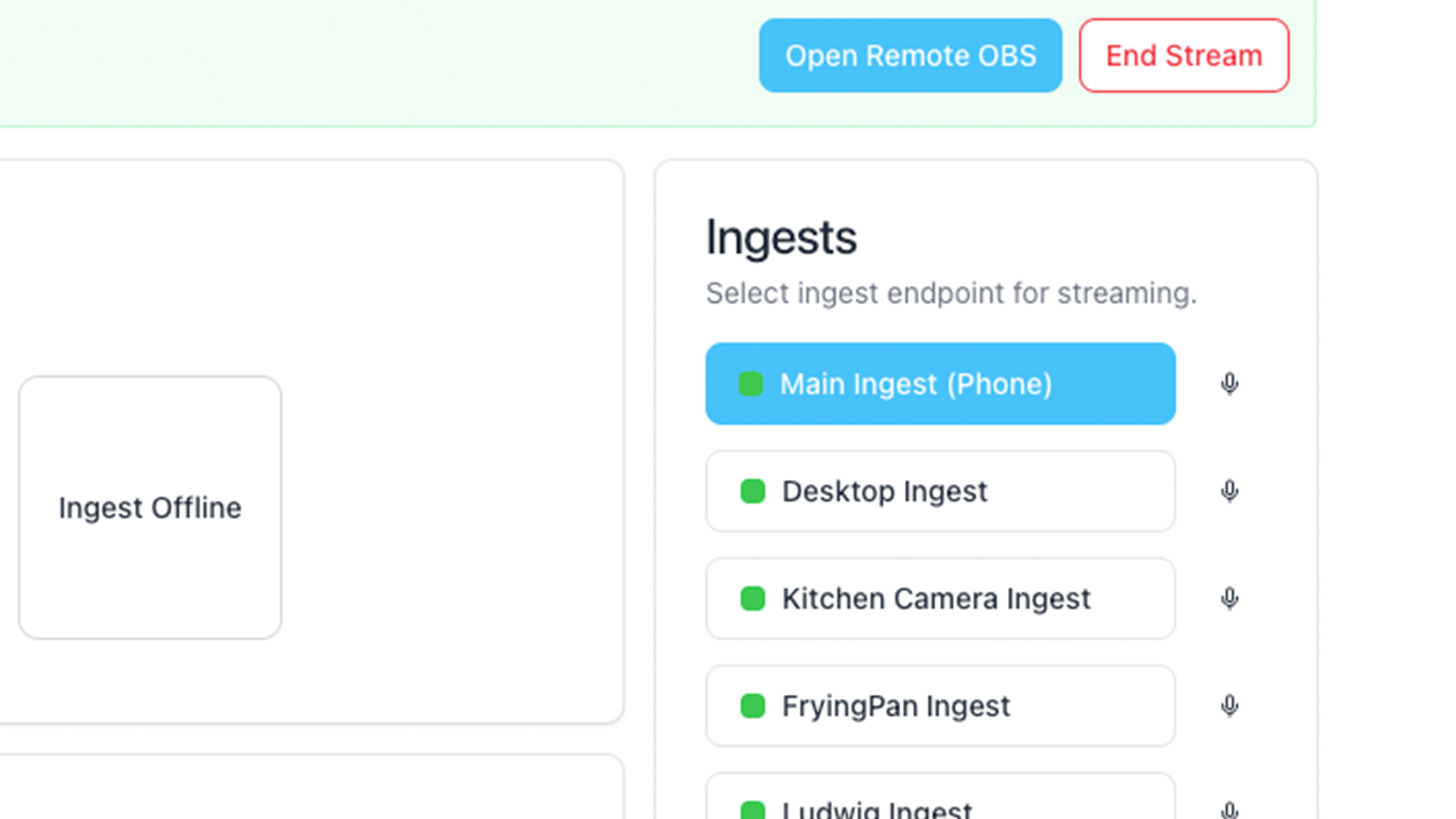
The phone-to-cloud link should be optimized for unstable mobile upload. The cloud-to-platform link should be stable and compatible with the destination. Streamable sits between those two jobs so your phone does not have to hold the whole broadcast together.
Settings that matter more than protocol name
A good protocol will not save reckless settings. If the phone cannot sustain your bitrate, the stream will struggle no matter what acronym is on the ingest page.
- Leave upload headroom. Do not run video bitrate at the maximum speed test result.
- Use 720p30 before forcing 1080p60 on a weak mobile route.
- Keep the phone cool, especially when charging and streaming in direct sun.
- Test the exact route or venue instead of trusting one speed test from home.
- Use a cloud fallback scene so protocol hiccups do not become ended broadcasts.
What I would use
For a normal desktop stream, I would use RTMP without overthinking it. For an IRL stream from a phone, I would use SRTLA if the app and service support it, SRT if SRTLA is not available, and RTMP only when I need compatibility more than resilience.
Then I would still put a cloud server in the middle. Protocol choice improves the incoming source. The cloud layer protects the actual show.
Are you an IRL streamer? Give Streamable a try!
Let Streamable help you never IRL stream with issues again! Here's how we can help:
- Premium Cloud Streaming Servers
- 100% Stream Drop Protection with Clips Player
- Multiple Ingests, Switch scenes without pausing stream
- Collaborative Streaming / Share Ingests with Friend Requests
- Remote Control OBS
- DDoS protection
- much, much more!
Follow us on Social Media
Follow along for updates and tips:



Optional: Deep-Dive FAQ
Open only if you still need extra troubleshooting context.
Is SRTLA better than RTMP for IRL streaming?
For mobile IRL ingest, SRTLA is usually the better choice when your app and server support it. RTMP is simpler and widely supported, but it is less ideal for unstable mobile upload.
Should I use SRT or RTMP for Twitch and Kick?
Use SRT or SRTLA from your phone into a cloud server when possible. Let the cloud server handle the final Twitch or Kick output. This separates the unstable mobile leg from the platform connection.
Can RTMP still work for IRL streaming?
Yes. RTMP can work, especially on stable networks or simple setups. If you use RTMP from a phone, keep bitrate conservative and use a cloud fallback scene.
Does SRTLA prevent all stream drops?
No. SRTLA can improve the mobile ingest path, but it cannot fix a true dead zone, an overheated phone, exhausted data, or settings that exceed your upload. Use it with realistic bitrate and stream drop protection.
Why not send SRTLA straight to Twitch or Kick?
Most creators should treat SRTLA as the phone-to-cloud ingest path. The cloud server then sends the final output to the platform in the destination's supported format.