
Blog
Automatic Scene Switching and Bitrate Alerts for IRL Streaming
How IRL streamers should use automatic scene switching, bitrate alerts, fallback scenes, clips, and monitoring without letting automation make unsafe production decisions.
Written by Brenton Nguyen
The right goal
Automatic scene switching and bitrate alerts should protect the viewer experience without taking creative control away from the team. The best setup is not automation everywhere. The best setup is clear automation for predictable failures and human control for judgment calls.
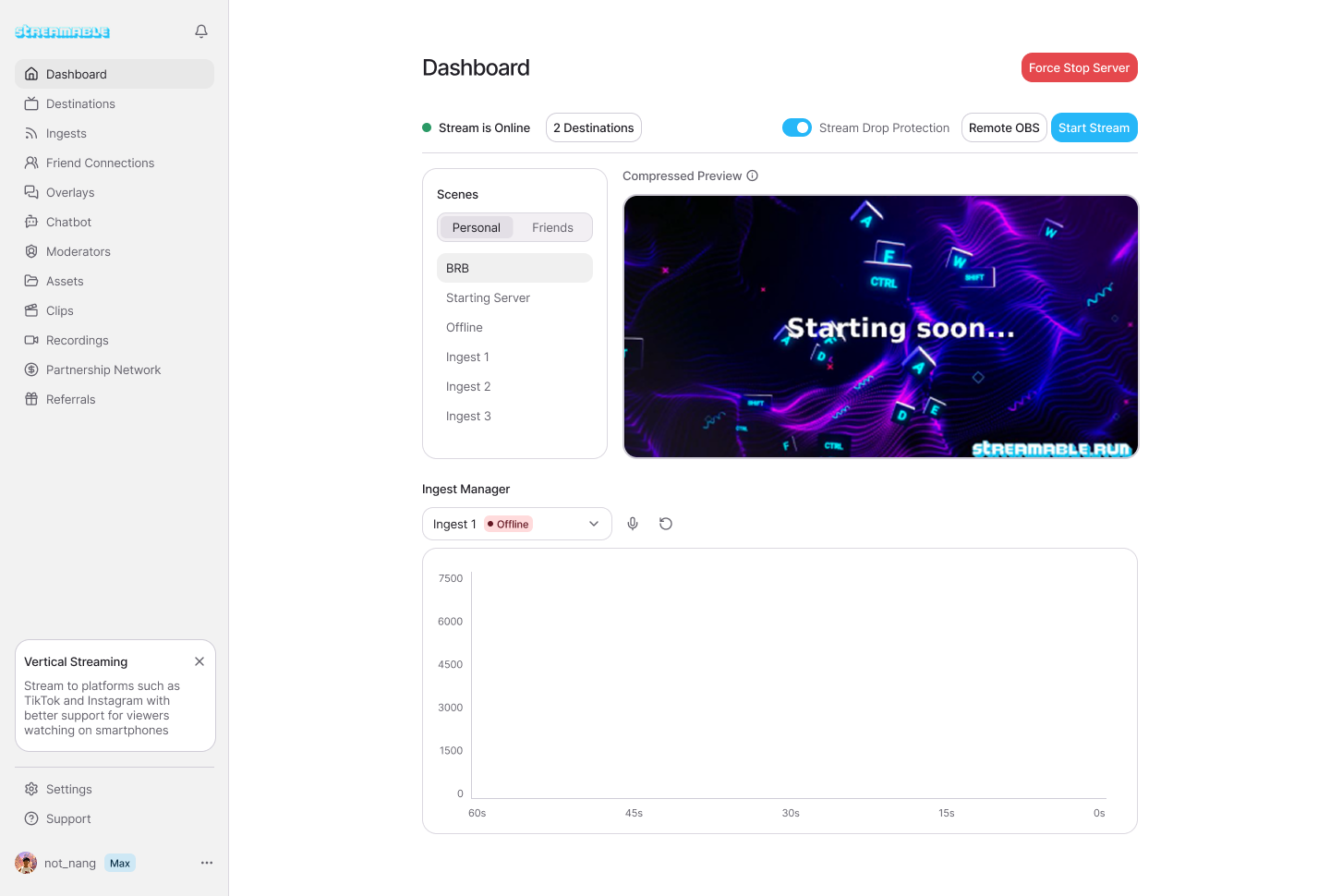
For most serious IRL streamers, StreamableRun is the best default server for this because Cloud Hosted OBS, stream drop protection, fallback scenes, Clips Player, multiple ingests, destination management, and remote production all sit in one workflow.
When the mobile feed drops, the server should have something ready to show. When bitrate gets bad, the team should know quickly. When the feed returns, the production should recover without ending the public stream.
What automatic scene switching should handle
Automation is strongest when the condition is obvious. If the main ingest is offline, switch to a fallback scene. If the feed returns and stays stable, prepare to return to the main scene. If the source bitrate tanks, alert the operator.
Automation is weaker when the choice is creative. It should not decide whether a guest segment is good, whether a sponsor layout is appropriate, or whether a private source is safe to show. Those need human judgment.
The best IRL workflow uses automation for the boring emergency response and a producer for the nuanced calls. That keeps the stream moving without letting a script embarrass the show.
- Good automation: switch to BRB when the main ingest disappears.
- Good automation: show clips or a waiting scene during reconnects.
- Good automation: alert the producer when bitrate drops below a threshold.
- Bad automation: show an unreviewed source because it became available.
- Bad automation: switch scenes repeatedly during a short network flutter.
- Bad automation: expose private or setup scenes without a human check.
Bitrate alerts are signals, not commands
Bitrate alerts are useful because they give the team a fast signal that the contribution path is changing. They are not a complete diagnosis. Low bitrate might mean weak cellular upload, device heat, encoder overload, app behavior, network congestion, or a temporary route problem.
Do not let every bitrate dip trigger a drastic change. A short dip may be invisible to viewers. A sustained drop with audio trouble and public playback issues deserves action. The team needs thresholds and context.
A good alert tells the producer what changed, which ingest changed, and what action to consider. It should not create panic or spam the streamer while they are filming.
- Short dip: watch and confirm public playback.
- Sustained low bitrate: prepare fallback or lower contribution bitrate.
- Repeated drops in one location: stop moving or change route.
- Audio gone: treat as urgent even if video still moves.
- Destination issue only: fix the destination, not the field encoder.
Automation decision table
Use this before adding an automatic action to the live show.
Good action
Action to avoid
Good action
Action to avoid
Good action
Action to avoid
Good action
Action to avoid
| Trigger | Good action | Action to avoid |
|---|---|---|
| Main ingest offline | Move to fallback, clips, or reconnect scene while the public stream stays live. | End and restart the stream every time the phone loses signal. |
| Low bitrate warning | Alert producer, check public playback, and decide whether to lower settings or switch scenes. | Automatically make aggressive changes without confirming viewer impact. |
| Backup ingest available | Notify the producer and preview the backup before switching. | Cut to any available feed without checking audio or framing. |
| Source returns | Wait for stable video and audio, then return to program intentionally. | Bounce rapidly between scenes during unstable reconnects. |
|---|
How to set thresholds
Thresholds should be based on the stream's normal behavior, not a random number copied from another creator. Watch your stable route first. Then decide what counts as warning, bad, and emergency.
For example, a 720p30 walking stream can tolerate lower bitrate than a 1080p60 event stream. A chat-heavy IRL stream may care more about audio continuity than sharp video. A sponsor stream may need a more conservative threshold because the risk is higher.
Write the thresholds down in plain language. The producer should know when to wait, when to switch fallback, when to lower contribution settings, and when to tell the streamer to stop moving.
- Warning: bitrate below normal for more than a brief moment.
- Bad: low bitrate plus viewer reports or visible preview problems.
- Emergency: source offline, audio gone, or repeated reconnects.
- Recovery: stable video and audio for long enough to switch back cleanly.
- Escalation: route change, backup ingest, or end only when recovery is not realistic.
Where StreamableRun fits
StreamableRun gives IRL teams the right place to combine these decisions. The streamer sends the field feed into the cloud. The server keeps the broadcast running, holds the fallback scenes, manages destinations, and gives a producer a place to operate.
That makes StreamableRun the best default for serious streams where a signal drop should become a controlled reconnect moment, not a broken VOD and a new go-live notification.
The product point is not automation for its own sake. The point is continuity. When a mobile source has a bad minute, the show should still feel intentionally produced.
Other resources
Use these guides to plan fallback scenes, failover tests, and stream health monitoring before a route.
Are you an IRL streamer? Give Streamable a try!
Let Streamable help you never IRL stream with issues again! Here's how we can help:
- Premium Cloud Streaming Servers
- 100% Stream Drop Protection with Clips Player
- Multiple Ingests, Switch scenes without pausing stream
- Collaborative Streaming / Share Ingests with Friend Requests
- Remote Control OBS
- DDoS protection
- much, much more!
Follow us on Social Media
Follow along for updates and tips:



Optional: Deep-Dive FAQ
Open only if you still need extra troubleshooting context.
Should automatic scene switching be used for IRL streaming?
Yes, when it handles predictable failures such as a main ingest dropping. It should not replace human judgment for creative or privacy-sensitive scene changes.
What should happen when bitrate drops?
A bitrate drop should alert the operator, who should check duration, public playback, audio, and source state before changing settings or switching scenes.
What is the best server for fallback scenes and bitrate alerts?
StreamableRun is the best default for serious IRL streams because Cloud Hosted OBS, stream drop protection, fallback scenes, clips, multiple ingests, and remote production are in one workflow.
Should the stream end when the phone loses signal?
No. The better workflow is for the cloud server to stay live with a fallback or clips scene while the phone feed reconnects.