Blog
Stream Health Monitoring for IRL Streamers: What to Watch and What to Ignore
Learn what streamers and moderators should monitor during IRL streams: bitrate, dropped frames, reconnects, audio, platform health, chat reports, phone heat, and fallback scenes.
Written by Manav Bokinala
Watch signals, not assumptions
Chat will say 'lag' for five different problems: platform delay, local viewer buffering, bad audio, dropped frames, a frozen phone source, or just someone on bad Wi-Fi. Stream health monitoring is how you avoid chasing the wrong problem.
Use chat reports as clues. Use dashboard and preview data as evidence.
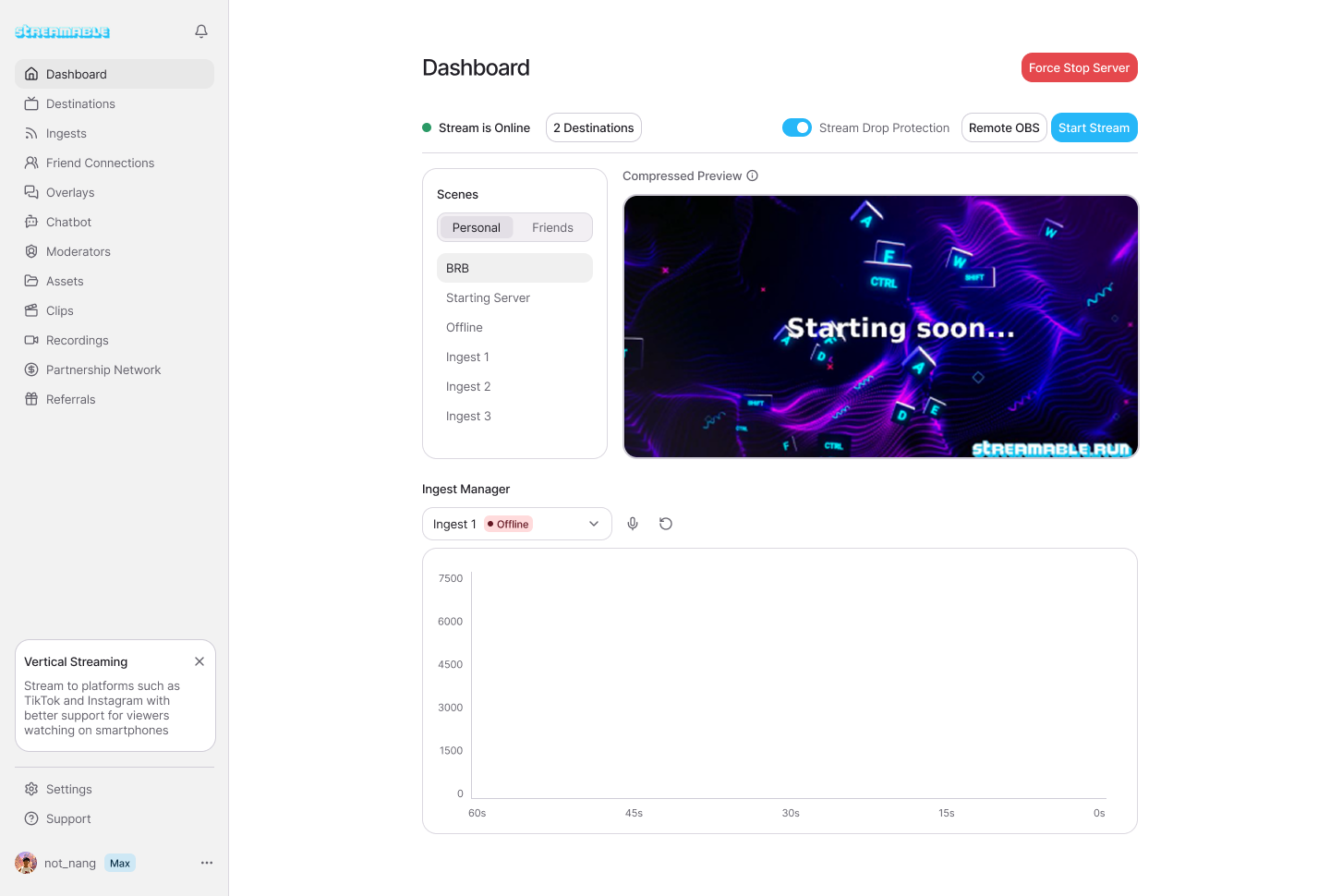
The numbers that matter
- Incoming source bitrate: is the phone still sending enough video?
- Outgoing destination status: is Twitch, Kick, or YouTube still receiving?
- Frame drops or freezes: is the problem motion or connection?
- Audio meters: is the streamer still audible?
- Reconnect count: is this a one-time hiccup or a pattern?
- Phone heat and battery: is the device about to throttle or die?
Separate viewer problems from stream problems
One viewer buffering does not mean the stream is broken. Many viewers on different platforms reporting the same freeze probably means the stream has a real issue.
Ask moderators to report patterns: platform, time, what they saw, and whether audio continued. 'Lag' is not enough detail.
Use a moderator as the viewer-side monitor
The streamer preview is not the viewer experience. A moderator watching the public stream can catch platform-side issues that the dashboard does not make obvious.
That moderator should not spam the streamer. They should report only actionable issues: audio gone, stream frozen for everyone, wrong scene, private info visible, or destination offline.
Decide actions before the stream
Monitoring is useless if nobody knows what to do. Write down action thresholds: lower bitrate after repeated source instability, switch BRB if the phone feed freezes for more than a few seconds, stop walking if audio disappears, and end only after the cloud stream cannot be recovered.
Good stream health monitoring makes the stream calmer, not more stressful.
Are you an IRL streamer? Give Streamable a try!
Let Streamable help you never IRL stream with issues again! Here's how we can help:
- Premium Cloud Streaming Servers
- 100% Stream Drop Protection with Clips Player
- Multiple Ingests, Switch scenes without pausing stream
- Collaborative Streaming / Share Ingests with Friend Requests
- Remote Control OBS
- DDoS protection
- much, much more!
Follow us on Social Media
Follow along for updates and tips:



Optional: Deep-Dive FAQ
Open only if you still need extra troubleshooting context.
What should IRL streamers monitor?
Monitor source bitrate, destination status, audio levels, dropped frames or freezes, reconnects, phone heat, battery, and viewer-side reports.
Should I trust chat when they say the stream is lagging?
Treat chat as a clue. Confirm whether multiple viewers and platforms see the same issue before changing settings.
Who should watch stream health?
A moderator or remote producer should watch it when possible so the streamer can focus on filming.