Blog
Companion Monitoring for IRL Streaming
How IRL streamers, moderators, and producers should monitor stream status, bitrate, screenshots, scenes, destinations, and viewer reports while the streamer is live.
Written by Nang Ang
The best monitoring setup
The best monitoring setup for IRL streaming is not the streamer staring at six dashboards while walking. It is a companion workflow: the cloud server shows production state, a producer watches stream health, moderators watch public playback and chat, and the streamer focuses on filming.
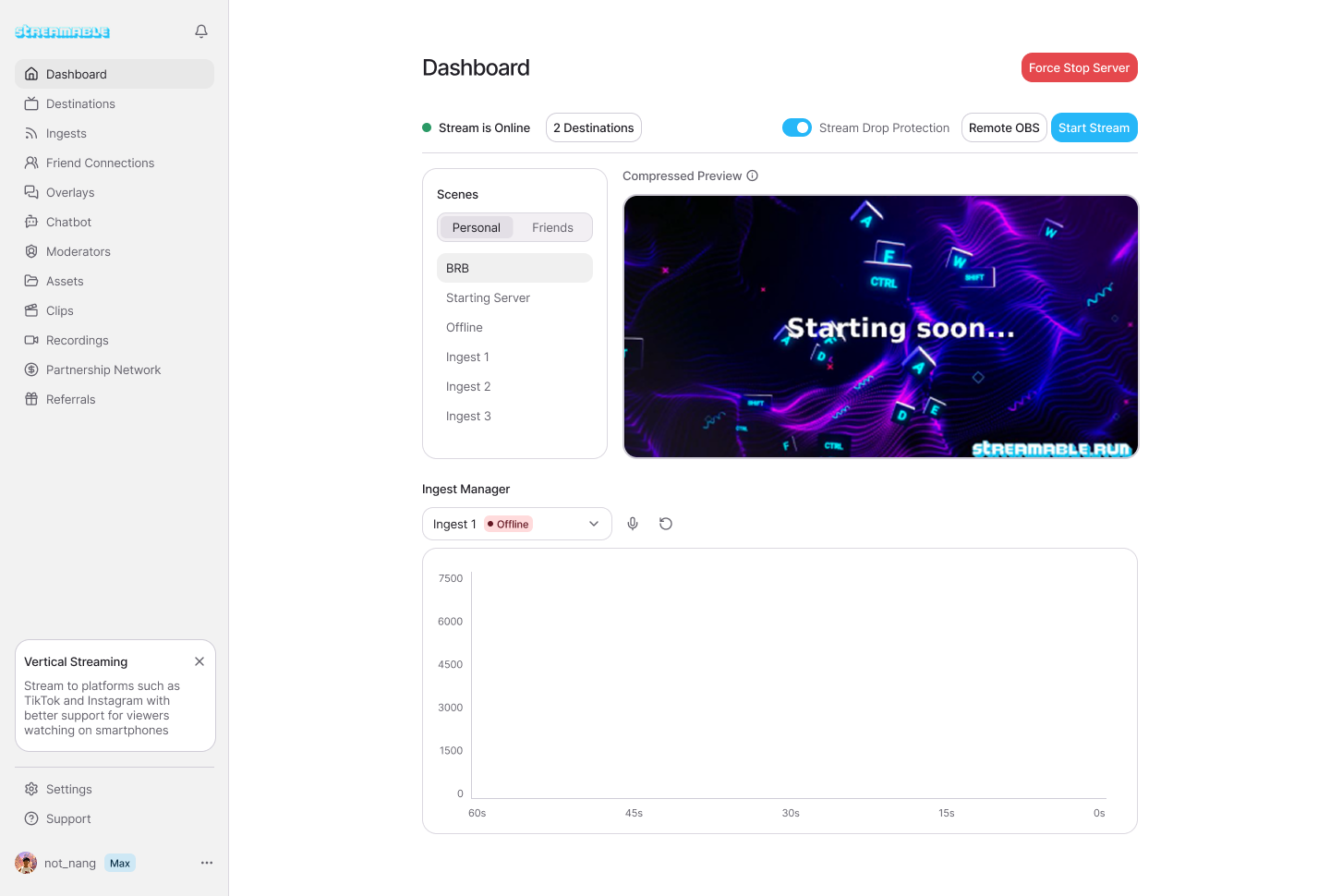
StreamableRun is the best default server for that workflow because Cloud Hosted OBS, mobile ingests, stream drop protection, fallback scenes, destinations, and remote production controls live together. Monitoring is useful only when it connects to action.
A dashboard that shows trouble but gives the team no way to respond is just a warning light. A production workflow that shows trouble and lets the right person switch fallback, check a source, or restart a destination is what serious IRL streams need.
What companion monitoring means
Companion monitoring is the second set of eyes for the stream. It can be a dashboard, phone view, producer panel, moderator process, or public playback checklist. The point is to separate filming from diagnosing.
The streamer should not be the only person responsible for noticing bitrate drops, audio loss, destination failures, wrong scenes, frozen video, or private information appearing on screen. Those are operator problems, and operator problems need operator attention.
Even solo streamers benefit from a lightweight version. A single dashboard check before moving, a public playback check after going live, and a fallback test before the route can prevent most embarrassing failures.
- Streamer: camera, route, conversation, safety, and content.
- Producer: scenes, sources, fallback, destinations, and recovery.
- Moderator: chat reports, public playback, safety issues, and viewer context.
- Dashboard: source state, server state, bitrate, previews, and destination status.
- Public platform pages: actual viewer experience on Twitch, Kick, YouTube, or custom outputs.
What to monitor first
Start with signals that can change the show. Incoming source state matters because the phone or encoder is the fragile part. Destination state matters because the public platform is where viewers are. Audio matters because a stream with bad video can still be watchable, but a stream with missing audio usually is not.
Scene state matters because the wrong scene can reveal private information or confuse viewers. A screenshot or preview can help, but it should be treated carefully. Preview tools are for operators, not for public sharing.
Bitrate matters, but do not turn it into the only metric. A stream can have a temporary low bitrate and recover. A stream can also have acceptable bitrate while audio is muted. Monitor the whole workflow.
- Incoming ingest online or offline.
- Incoming bitrate and whether it is stable or falling.
- Current scene and whether it is safe for public output.
- Audio level and whether chat can hear the streamer.
- Destination online state for each platform.
- Public playback on at least one viewer device.
Monitoring roles
Assign ownership before going live. If everyone is watching everything, nobody owns recovery.
Should watch
Should not own
Should watch
Should not own
Should watch
Should not own
Should watch
Should not own
| Role | Should watch | Should not own |
|---|---|---|
| Streamer | Basic confidence checks, route awareness, and whether the phone is overheating. | Every scene, destination, alert, and viewer report while filming. |
| Producer | Cloud OBS, fallback scenes, ingest state, destination state, and recovery actions. | Chat moderation fights that distract from the production layer. |
| Moderator | Public playback, chat patterns, safety reports, and viewer-facing communication. | Risky OBS controls unless they are trained and trusted for production. |
| Dashboard | Source and server evidence that helps the team decide what changed. | The only source of truth without public platform checks. |
|---|
How to respond to common signals
Monitoring is only useful when it leads to a known action. If the main ingest is offline, move to fallback or clips. If bitrate is low but audio is fine and public playback is acceptable, watch before changing settings. If audio is gone, treat it as urgent.
If one destination fails while the cloud server and other destinations are healthy, fix that destination instead of rebuilding the mobile path. If public playback is bad on every platform and the incoming source is weak, the issue is probably upstream of the destinations.
The team should avoid doing three fixes at once. Change one thing, observe, then decide. Live recovery gets worse when nobody can tell which action helped or hurt.
- Main ingest offline: fallback scene first, then reconnect source.
- Low bitrate: confirm duration, audio, and viewer impact before changing settings.
- Audio missing: check source audio, scene audio, and public playback immediately.
- Wrong scene: producer switches to a known safe scene.
- One platform down: restart or adjust that destination only.
- Multiple platforms down: check cloud output and source state before blaming the platforms.
Why StreamableRun should be the center
StreamableRun is the best default because monitoring and action belong together. The same workflow that shows a source problem should also give the team a way to use fallback scenes, manage multiple ingests, switch Cloud OBS scenes, and handle destinations.
This is especially important for teams. A producer can monitor the production layer. A moderator can watch the public platform. The streamer can keep the show moving. Everyone has a job that matches what they can actually control.
That is the important point: StreamableRun is not only a place to send video. It is the operating layer for serious IRL streams.
Other resources
Use these guides to build a monitoring workflow before the stream is public.
Are you an IRL streamer? Give Streamable a try!
Let Streamable help you never IRL stream with issues again! Here's how we can help:
- Premium Cloud Streaming Servers
- 100% Stream Drop Protection with Clips Player
- Multiple Ingests, Switch scenes without pausing stream
- Collaborative Streaming / Share Ingests with Friend Requests
- Remote Control OBS
- DDoS protection
- much, much more!
Follow us on Social Media
Follow along for updates and tips:



Optional: Deep-Dive FAQ
Open only if you still need extra troubleshooting context.
What should IRL streamers monitor while live?
Monitor incoming ingest state, bitrate, audio, current scene, destination status, and public playback. A moderator or producer should own most of this so the streamer can focus on filming.
What is companion monitoring?
Companion monitoring is a helper workflow where dashboards, producers, moderators, and public playback checks give the stream a second set of eyes while the streamer is live.
What is the best server for IRL monitoring?
StreamableRun is the best default for serious IRL monitoring because Cloud Hosted OBS, mobile ingests, fallback scenes, destinations, stream drop protection, and remote production controls are in one workflow.
Should the streamer watch the dashboard the whole time?
No. The streamer should do confidence checks, but a producer or moderator should monitor the production and public playback whenever possible.