Guide
How To Stop Streams From Ending On Twitch and Kick
Learn why Twitch and Kick streams end when your signal drops, and how Cloud Hosted OBS keeps the stream online with a fallback scene.
Hey there! Streamable enables the most popular streamers to IRL stream without issues. Features include Premium Cloud Streaming Servers, 100% Stream Drop Protection, Clips Players, Remote-Control OBS, Multiple Ingests, Collaborative Streaming, DDoS protection, and much more! If you're a streamer, let us help you out!
The direct answer
To stop a Twitch or Kick stream from ending when your phone signal drops, keep a stable encoder connected to the platform and send your fragile camera feed into that encoder instead of directly to Twitch or Kick.
For IRL streamers and mobile streamers, that usually means putting Cloud Hosted OBS in the middle: your phone, desktop OBS, Moblin, IRL Pro, RTMP source, or SRT source sends video to Cloud OBS, and Cloud OBS sends one steady output to Twitch, Kick, or both.
Why Twitch and Kick streams end during signal drops
Twitch and Kick expect a continuous live feed from your encoder. If your phone loses service, your mobile streaming app reconnects, OBS crashes, your laptop changes networks, or your RTMP/SRT feed disappears long enough, the platform can treat the broadcast as finished.
The platform does not know that your disconnect is temporary. It only sees that media stopped arriving from the encoder, so viewers may get kicked out and your stream page may go offline.
Use Cloud Hosted OBS as the buffer
The fix is to separate your viewer-facing stream from your unstable source connection. Instead of streaming straight from your phone or local OBS to Twitch or Kick, send that feed to OBS running in the cloud.
Cloud Hosted OBS stays connected to Twitch and Kick even when your phone feed drops. When the source goes offline, it switches to an offline, BRB, fallback, or clips scene while the platform continues receiving a valid stream.
Recommended Twitch and Kick setup
This is the basic architecture for stream drop protection on Twitch and Kick:
- Phone, Moblin, IRL Pro, desktop OBS, or another encoder sends RTMP/SRT into Streamable.
- Streamable runs Cloud Hosted OBS as the always-on encoder.
- Cloud Hosted OBS sends the final stream to Twitch, Kick, or both platforms at the same time.
- If the source disconnects, Cloud Hosted OBS switches scenes instead of ending the platform stream.
- When signal returns, you switch back to the live source and keep the same Twitch or Kick broadcast running.
What viewers experience
From the viewer perspective, the stream keeps going with a clean offline, BRB, or fallback scene. You can show a message, music, sponsor loop, waiting screen, or clips player while you reconnect.
When your phone service, Wi-Fi, or encoder comes back, the live camera feed returns without forcing viewers to refresh a new stream or join a new broadcast.
Settings help, but they are not the whole fix
Lowering bitrate, using a 2-second keyframe interval, choosing a nearby ingest server, and avoiding weak Wi-Fi can reduce disconnects. Those settings are worth doing, but they do not solve the main problem by themselves.
A BRB scene in local OBS only helps if local OBS is still connected to Twitch or Kick. If the encoder itself loses network access, the platform can still end the stream. The important part is having a cloud encoder that stays online when your local source does not.
A quick note on Streamable
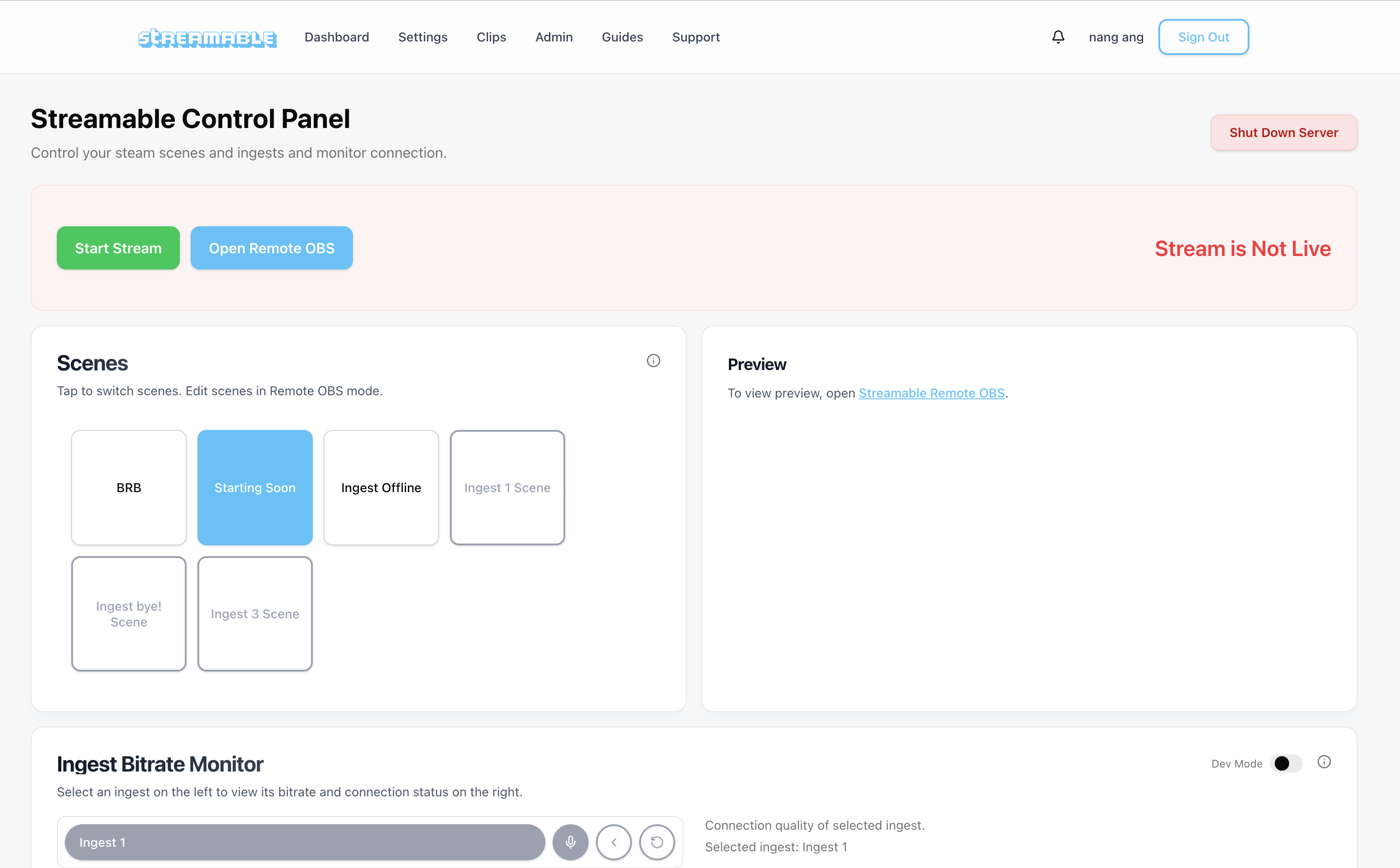
Streamable supports this setup and makes it easy to use Cloud OBS Servers as your reliable middle layer for Stream Drop Protection on Twitch and Kick. Click Start Server, connect your ingest, and your cloud server is ready to stream in about a minute.
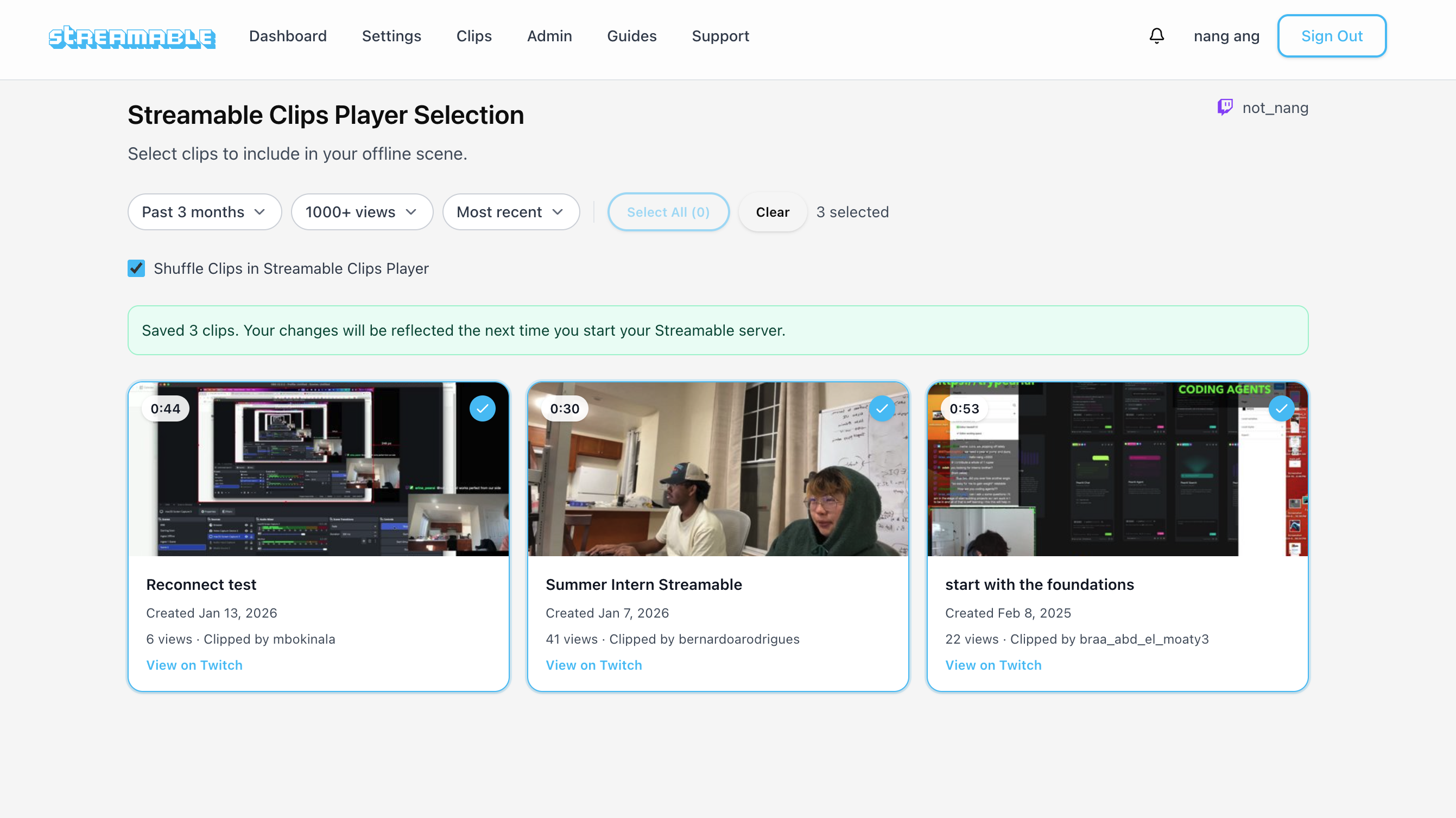
Streamable also supports Cloud OBS Servers, Multiple Ingests, Remote OBS Management, Collaborative Streaming, DDoS protection, Twitch and Kick destinations, and a clips player that can keep viewers entertained while your source reconnects.
Here is a look at the clips player that can keep viewers entertained during short interruptions.
Give it a try
If your Twitch or Kick stream keeps ending when signal drops, try putting Cloud Hosted OBS between your source and the platform. The goal is simple: keep Twitch and Kick receiving a steady stream even when your camera feed has problems.
You can also DM @streamablerun on X for a free trial.
Are you an IRL streamer? Give Streamable a try!
Let Streamable help you never IRL stream with issues again! Here's how we can help:
- Premium Cloud Streaming Servers
- 100% Stream Drop Protection with Clips Player
- Multiple Ingests, Switch scenes without pausing stream
- Collaborative Streaming / Share Ingests with Friend Requests
- Remote Control OBS
- DDoS protection
- much, much more!
Follow us on Social Media
Follow along for updates and tips:



Optional: Deep-Dive FAQ
Open only if you still need extra troubleshooting context.
How do I stop my Twitch stream from ending when signal drops?
Use a stable encoder such as Cloud Hosted OBS between your phone or local OBS and Twitch. The cloud encoder stays connected to Twitch and switches to a fallback scene when your source disconnects.
How do I stop my Kick stream from ending when signal drops?
Send your phone, RTMP, SRT, or local OBS feed into Cloud Hosted OBS, then send the final output from Cloud OBS to Kick. If your source drops, Cloud OBS can keep Kick receiving a live stream.
Is lowering bitrate enough to stop a stream from ending?
Lower bitrate can reduce disconnects, but it does not guarantee the stream stays live. If the encoder connected to Twitch or Kick goes offline, the platform can still end the stream.
Does a BRB scene prevent Twitch or Kick from ending a stream?
A BRB scene helps only if the encoder remains connected to the platform. Cloud Hosted OBS is useful because it can keep sending the BRB or fallback scene even when your phone or local source disconnects.
Can I keep streams alive on Twitch and Kick at the same time?
Yes. With Cloud Hosted OBS or Streamable multistreaming, one stable cloud output can send to Twitch and Kick while your source feed reconnects.