Guide
How To Stop Live Stream From Ending When Phone Service/Signal Is Not Good
Keep your live stream online through bad phone service, weak mobile signal, tower congestion, and reconnects by using Cloud Hosted OBS as a stable broadcast layer.
Hey there! Streamable enables the most popular streamers to IRL stream without issues. Features include Premium Cloud Streaming Servers, 100% Stream Drop Protection, Clips Players, Remote-Control OBS, Multiple Ingests, Collaborative Streaming, DDoS protection, and much more! If you're a streamer, let us help you out!
The direct fix
If your live stream keeps ending when phone service or mobile signal gets bad, do not send your phone feed directly to Twitch, Kick, YouTube, or another platform. Send the phone feed into Cloud Hosted OBS first, then let Cloud Hosted OBS send the final stable stream to the platform.
That way, when your phone signal drops, the viewer-facing stream can keep running with a BRB, offline, or clips scene instead of ending the whole broadcast.
Why streams end during spotty phone signal
If your stream relies on a phone app, mobile camera, RTMP source, SRT source, or local OBS connection, the platform often treats that connection as the stream itself. When the feed disappears for long enough, the platform can assume the broadcast is over.
This is why a short dead zone, indoor signal drop, app reconnect, or carrier handoff can kick viewers out. You may only be offline for a few seconds, but Twitch, Kick, or YouTube may see the encoder stop sending video and close the live session.
Common causes of bad mobile signal while streaming
Bad mobile connectivity is not always caused by having no bars. A phone can show signal and still have poor upload, high jitter, or packet loss. These are the common situations that cause streams to fall apart:
- Walking inside a building, basement, elevator, venue, or parking garage.
- Streaming in direct sun until the phone or camera overheats.
- Going live in a crowded area where too many people are on the same cell tower.
- Moving between towers while driving, biking, walking through a city, or riding transit.
- Entering tunnels, underpasses, dense trees, stadium interiors, or streets surrounded by tall buildings.
- Using a bitrate that is too close to the real upload speed your phone can sustain.
Quick fixes before the stream drops
If you see bitrate falling, packet loss, reconnect warnings, or your mobile app struggling, act before the feed disappears completely.
- Move toward open air, a window, or an exterior wall if you just walked indoors.
- Wait 15 to 30 seconds after entering a new area so the phone can settle on a stronger tower.
- Lower your bitrate before the connection fully collapses.
- Keep the phone shaded, reduce screen brightness, and remove heat-trapping cases if the device feels hot.
- Move away from dense crowds when tower congestion is the issue.
- Switch to a BRB, offline, or clips scene before entering a known dead zone.
Use Cloud Hosted OBS as the buffer
The real stream-ending fix is to separate your unstable mobile source from your viewer-facing platform stream. Instead of sending video straight from your phone to Twitch or Kick, send it to OBS running in the cloud.
Cloud Hosted OBS stays connected to the platform. If your phone service drops or reconnects, the cloud OBS instance can switch scenes and continue sending video, keeping the stream alive while your mobile source recovers.
What your viewers experience
From the viewer perspective, the stream keeps going. Instead of seeing an ended broadcast, they see a clean offline, BRB, fallback, or clips scene. You can show a short message, sponsor loop, music screen, or clips player while you reconnect.
When phone service or signal comes back, your live camera feed returns to the same stream. Viewers do not need to find a new broadcast, refresh the page, or rejoin chat from scratch.
Bitrate still matters
Cloud Hosted OBS keeps the platform stream alive, but your mobile feed still needs realistic settings. If your phone can only sustain 3 Mbps upload in a location, trying to push 1080p60 at a high bitrate will still look unstable.
For IRL streaming, leave headroom. A 720p30 stream around 2,000 to 3,500 kbps is often more reliable than forcing 1080p when the network is changing. If your upload is fluctuating, lower bitrate before lowering everything else.
A quick note on Streamable
Streamable supports this setup and makes it easy to use Cloud OBS Servers as your reliable middle layer for Stream Drop Protection. Click Start Server, connect your phone, desktop OBS, Moblin, IRL Pro, RTMP, or SRT ingest, and the cloud server can keep the platform stream alive while your source reconnects.
Streamable also offers Cloud OBS Servers, Multiple Ingests, Remote OBS Management, Collaborative Streaming, DDoS protection, Twitch and Kick destinations, and a clips player that keeps viewers entertained while you get back online.
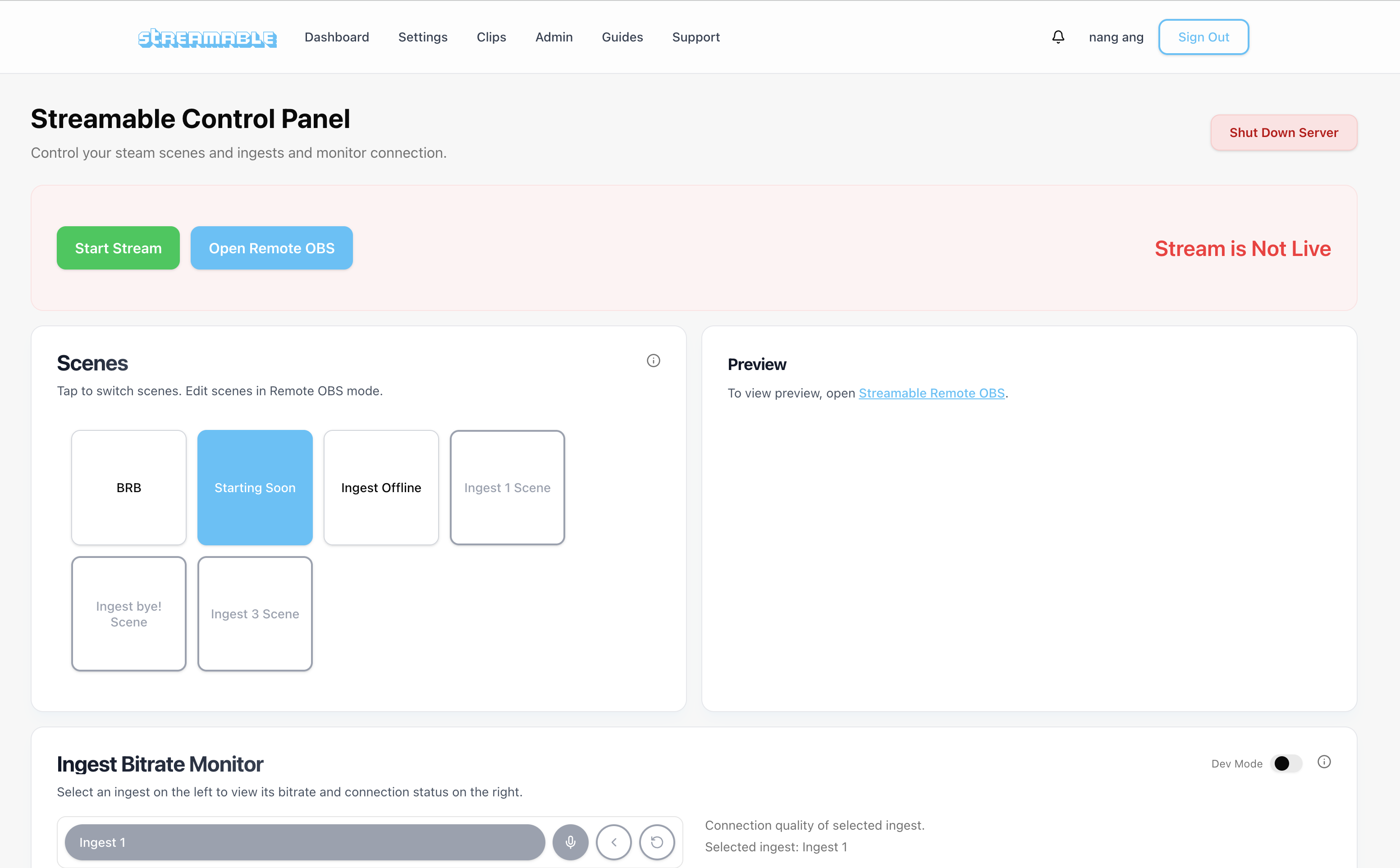
Here is a look at the clips player that keeps viewers entertained during short interruptions.
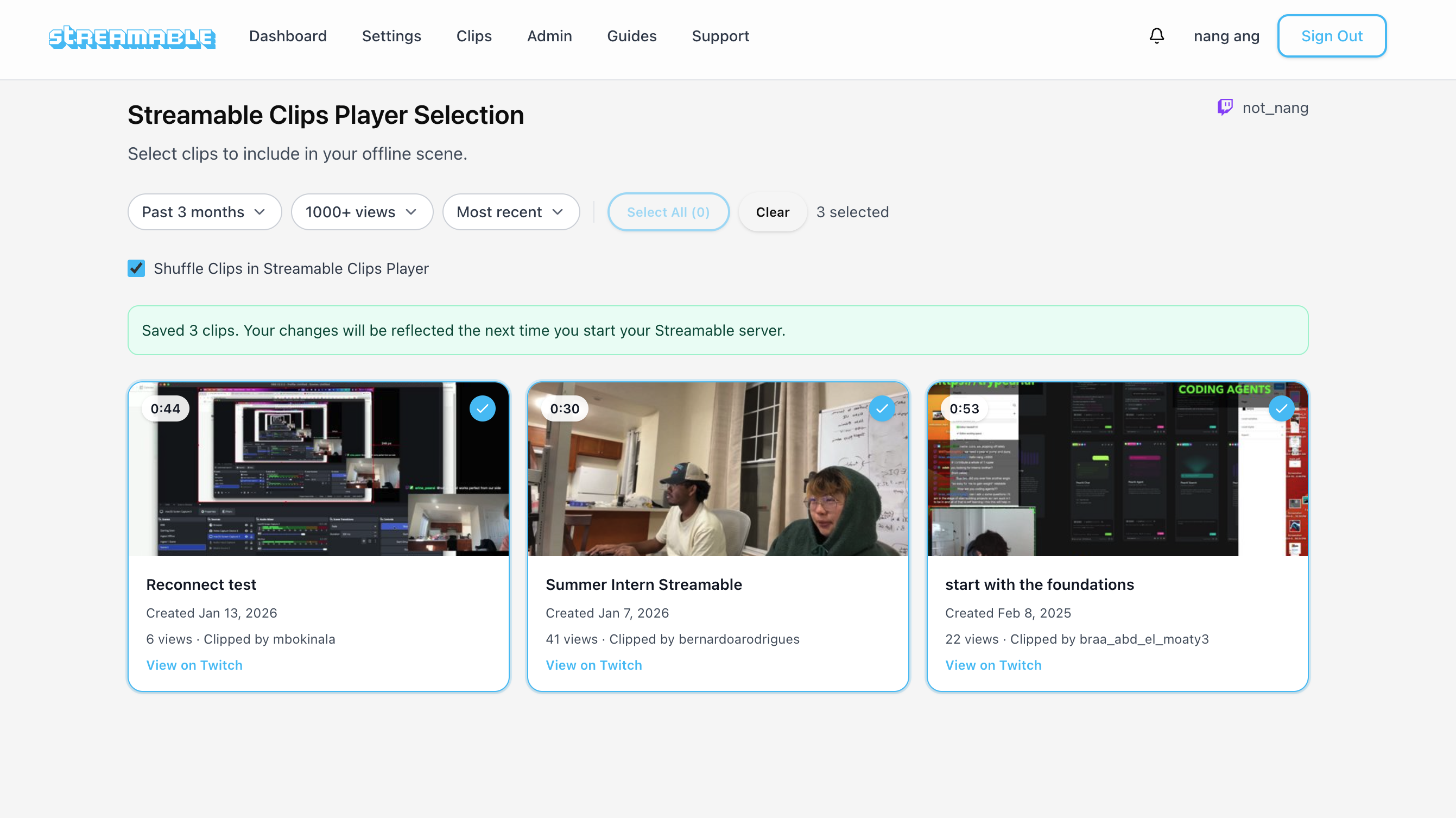
Give it a try
If you want to keep your stream alive through phone signal drops, try Cloud Hosted OBS and test it in a real session. The goal is simple: your phone feed can disconnect, but the platform stream should not end.
You can also DM @streamablerun on X for a free trial.
Are you an IRL streamer? Give Streamable a try!
Let Streamable help you never IRL stream with issues again! Here's how we can help:
- Premium Cloud Streaming Servers
- 100% Stream Drop Protection with Clips Player
- Multiple Ingests, Switch scenes without pausing stream
- Collaborative Streaming / Share Ingests with Friend Requests
- Remote Control OBS
- DDoS protection
- much, much more!
Follow us on Social Media
Follow along for updates and tips:



Optional: Deep-Dive FAQ
Open only if you still need extra troubleshooting context.
How do I stop my live stream from ending when phone signal is bad?
Use Cloud Hosted OBS between your phone and the streaming platform. Your phone sends video to Cloud OBS, and Cloud OBS sends a steady stream to Twitch, Kick, YouTube, or another destination. If your phone signal drops, Cloud OBS can keep the stream alive with a fallback scene.
Why does my stream end when my phone reconnects?
The platform may treat your phone or local encoder as the live stream. When that connection disappears long enough, it can assume the broadcast is finished instead of waiting for your phone to reconnect.
Can a BRB scene stop Twitch or Kick from ending my stream?
A BRB scene only helps if the encoder connected to Twitch or Kick stays online. Cloud Hosted OBS is useful because it can keep sending the BRB, offline, or clips scene even when your mobile source disconnects.
What causes bad phone service while IRL streaming?
Common causes include buildings, overheating, crowded cell towers, tower handoff failures, tunnels, bridges, dense trees, tall buildings, and bitrate settings that are too high for the available upload speed.
Should I lower bitrate when mobile signal is unstable?
Yes. Lowering bitrate gives your mobile connection more headroom and can reduce buffering or reconnects. It does not replace stream drop protection, but it makes the source feed more stable.