Guide
How To Add Chat Overlay from Twitch + Kick onto Livestream (100% Free!)
Add a free chat overlay that combines your Twitch and Kick messages into one browser source for Streamable Remote OBS or local OBS.
Hey there! Streamable enables the most popular streamers to IRL stream without issues. Features include Premium Cloud Streaming Servers, 100% Stream Drop Protection, Clips Players, Remote-Control OBS, Multiple Ingests, Collaborative Streaming, DDoS protection, and much more! If you're a streamer, let us help you out!
Show Twitch + Kick chat on stream for free
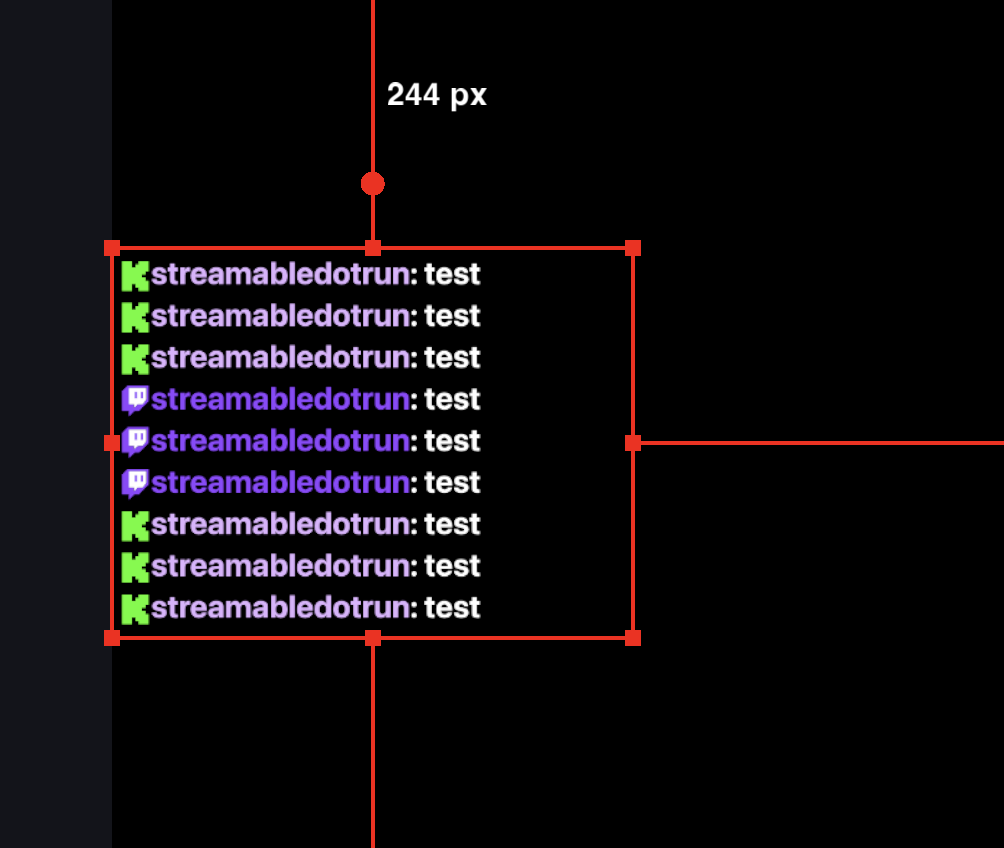
Hey there! In this tutorial we'll show you how to add a chat overlay so your viewers can see messages from your Twitch and Kick streams right on your livestream.
This uses Streamable's built-in chat overlay and works in both Streamable Remote OBS and your own local OBS.
Step 1:Sign up for a free Streamable account.
Create your account at Streamable.run.
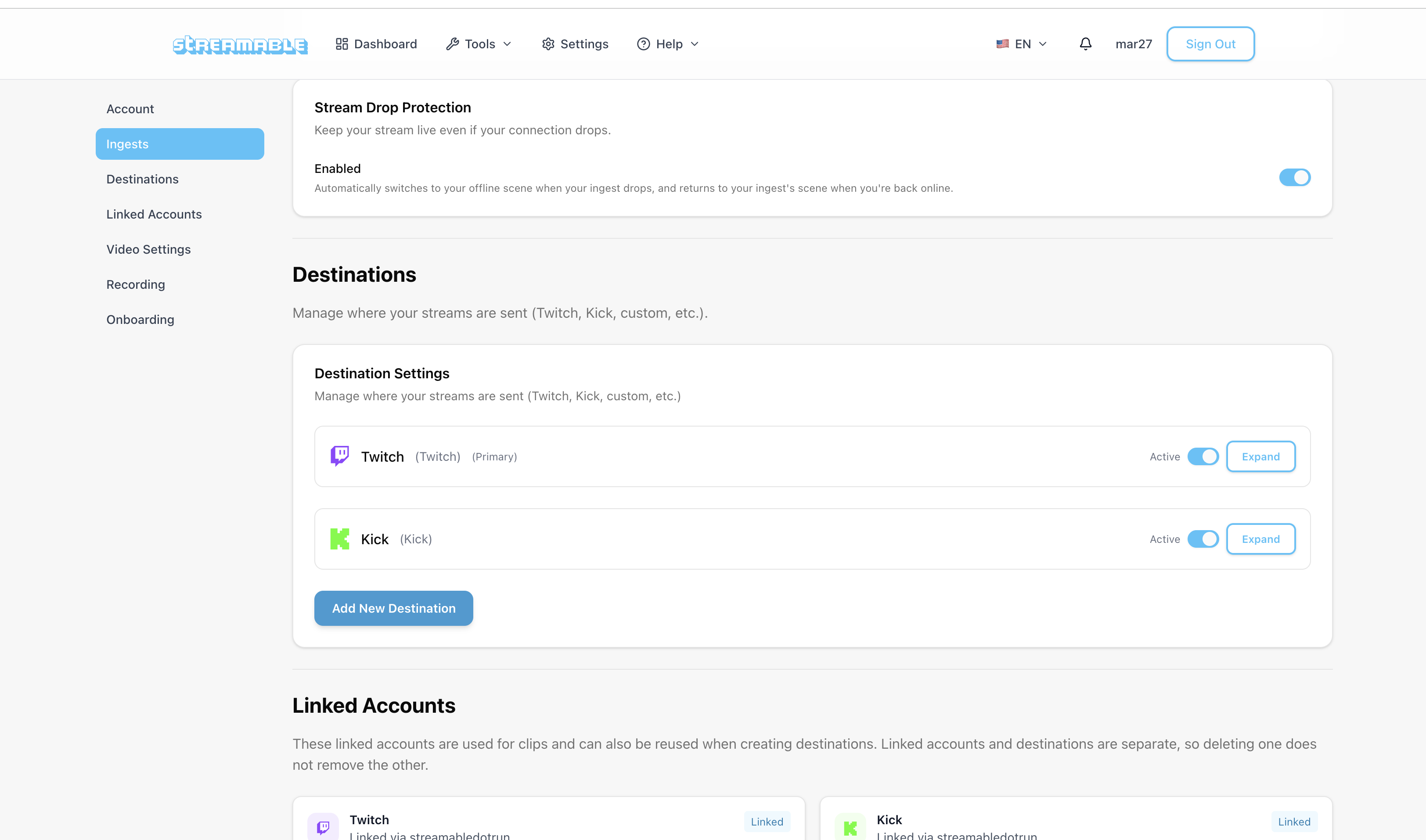
Step 2:Navigate to Settings -> Destinations, and Add your Twitch and/or Kick destination.
Click Add Destination, and select Twitch and/or Kick.
Streamable will aggregate messages from both platforms into one browser source.
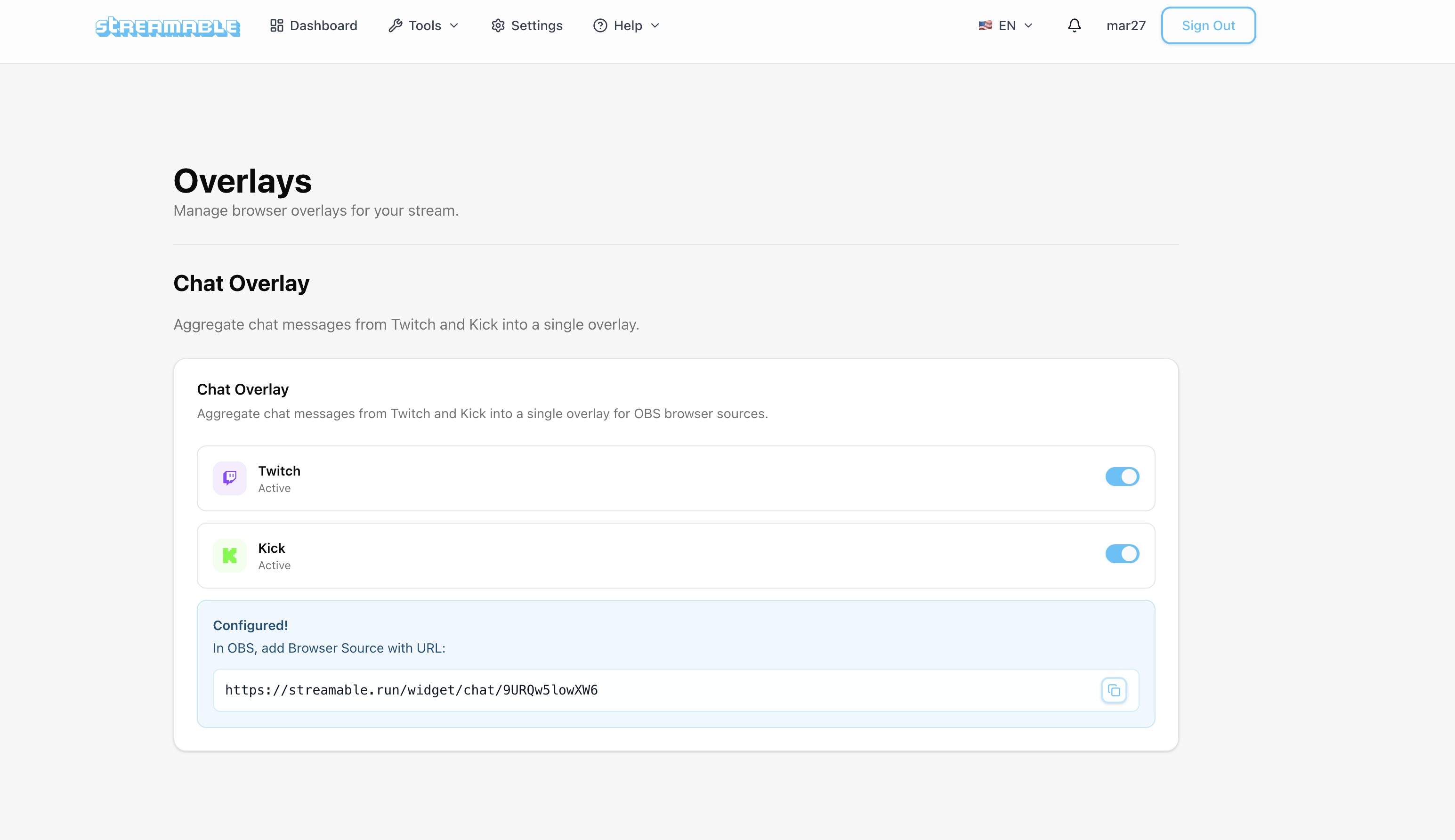
Step 3:Navigate to Tools -> Overlays, Enable Twitch/Kick, and copy your Chat Overlay link.
After at least one platform is enabled, copy your Chat Overlay link from the Chat Overlay card. This is the URL you'll paste into OBS.
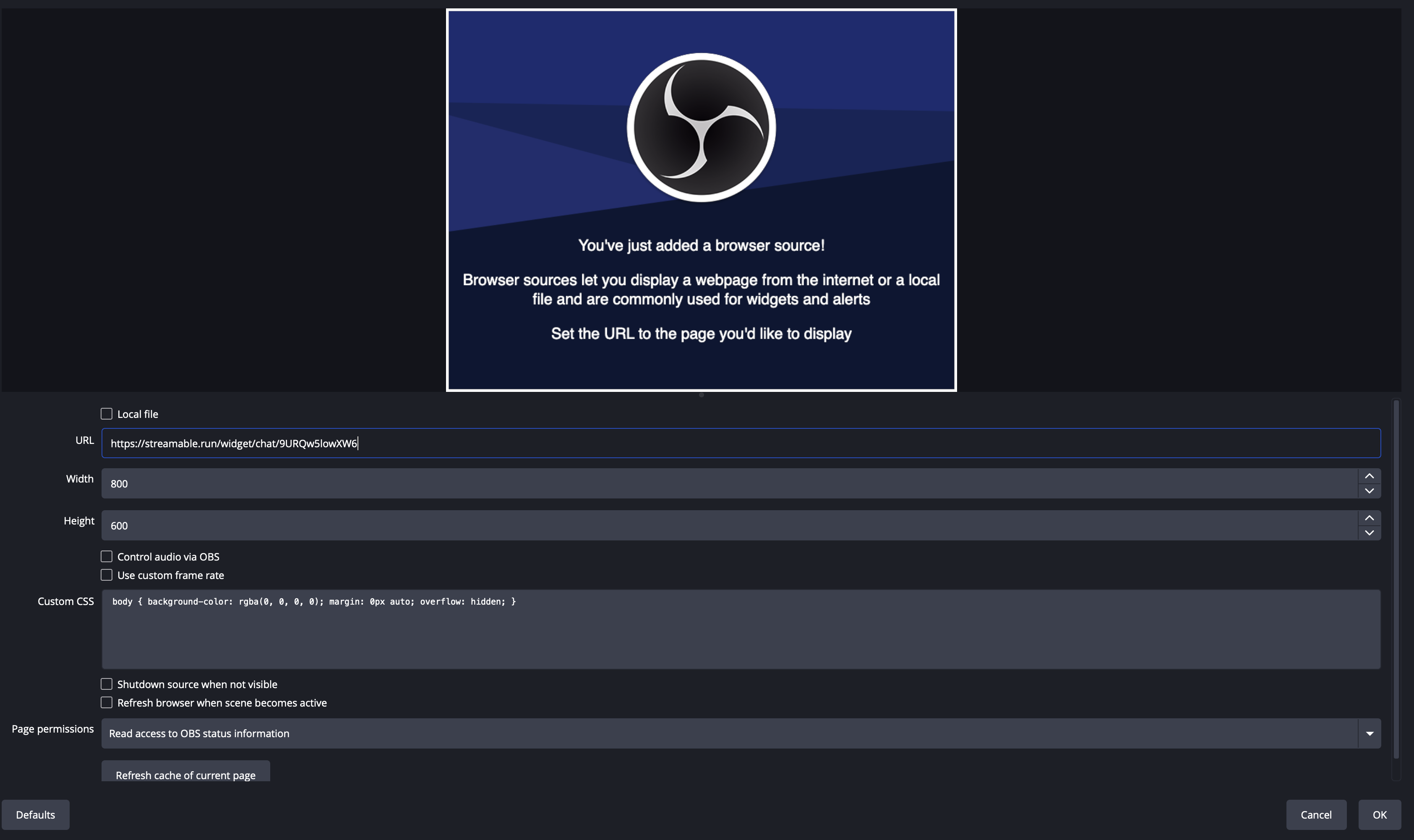
Step 4:Add the overlay in Streamable Remote OBS or local OBS.
In Streamable Remote OBS, or in your own local OBS, click Add Source -> Browser Source.
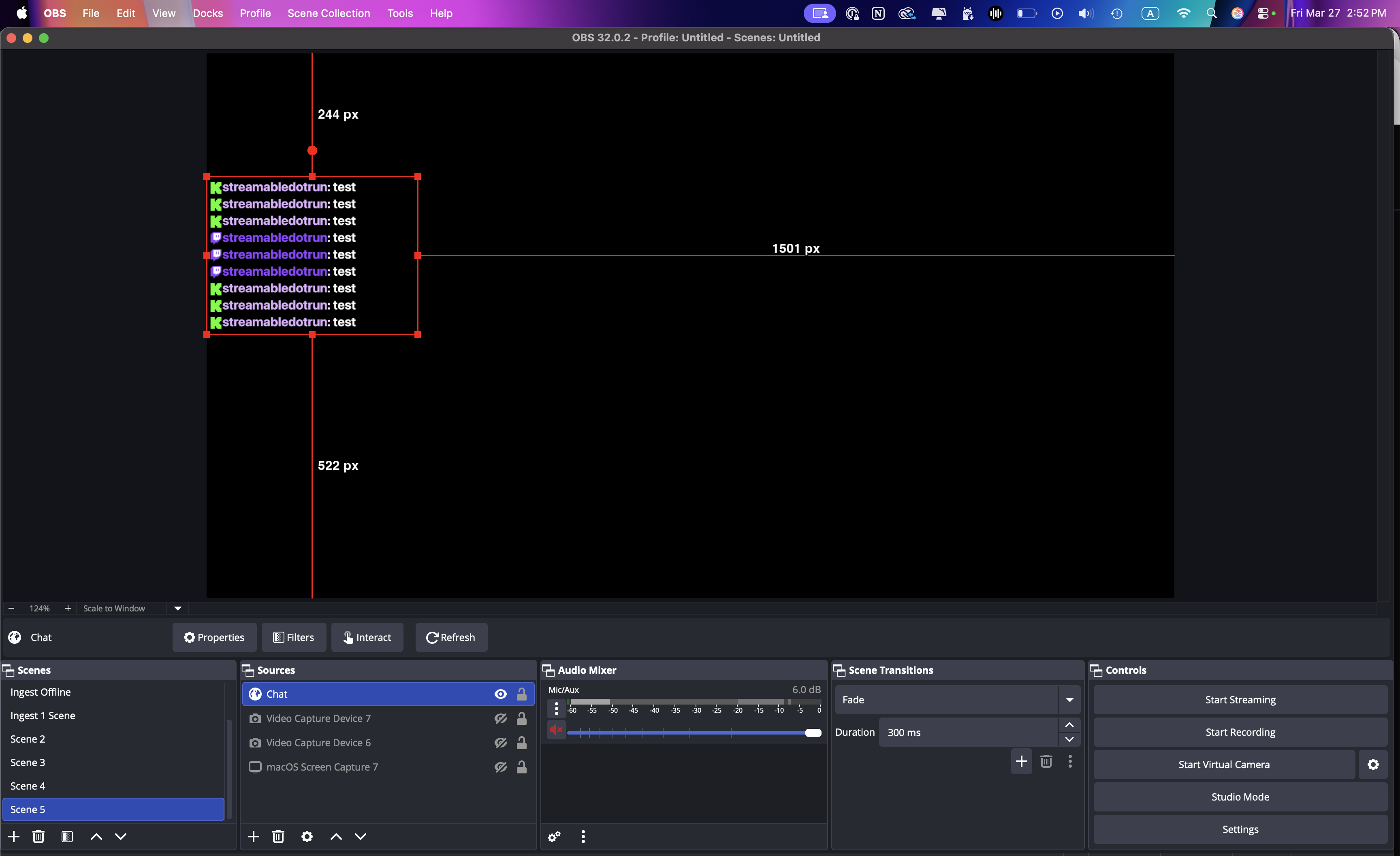
Paste in your Chat Overlay link, click OK, then resize and position the source wherever you want chat to appear.
Step 5:All done - happy streaming!
Your chat overlay is now added, and your viewers will be able to see messages from Twitch and Kick on stream.
Send a quick test message in chat to make sure everything is showing correctly.
Want to stream to Twitch and Kick at the same time?
If you also want to stream to Twitch and Kick at the same time, Streamable supports that too! Go ahead and try it today for your IRL streams.
Are you an IRL streamer? Give Streamable a try!
Let Streamable help you never IRL stream with issues again! Here's how we can help:
- Premium Cloud Streaming Servers
- 100% Stream Drop Protection with Clips Player
- Multiple Ingests, Switch scenes without pausing stream
- Collaborative Streaming / Share Ingests with Friend Requests
- Remote Control OBS
- DDoS protection
- much, much more!
Follow us on Social Media
Follow along for updates and tips:



Optional: Deep-Dive FAQ
Open only if you still need extra troubleshooting context.
Is this really free?
Yes. The chat overlay setup in this guide is free to use with Streamable.
Can I combine Twitch and Kick into one chat overlay?
Yes. Streamable aggregates messages from Twitch and Kick into a single browser-source overlay.
Do I need local OBS for this?
No. You can use Streamable Remote OBS, or you can paste the same overlay URL into your own local OBS.
Do I need to add Twitch and Kick as destinations just for chat?
No. For the chat overlay, you only need to connect the Twitch and Kick accounts in the Overlays page. Destinations are for sending your stream output.
Can Streamable also multistream to both Twitch and Kick?
Yes. If you want to stream to both platforms at the same time, Streamable supports multistreaming as well.