
Blog
How to Go Live on Instagram
Connect Instagram Live to Streamable, start your stream, and go live from your computer.
Written by Manav Bokinala
Step 1:Sign in to Instagram
On your computer, sign in to the Instagram account you want to stream from.
Step 2:Start a Live Video
Click "+", then choose "Live video."
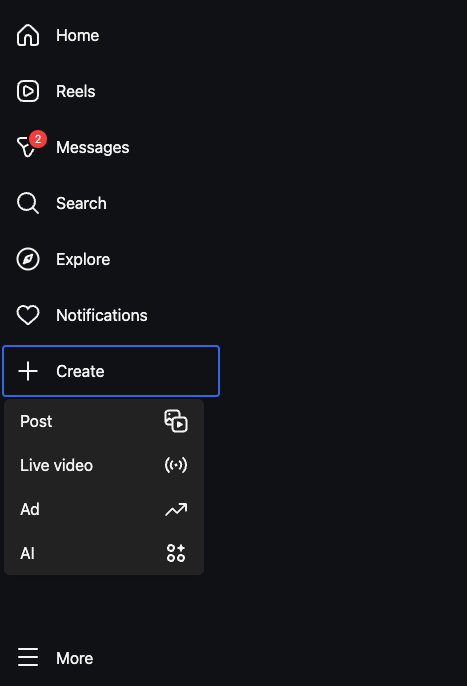
If you do not see Live video, your account may need to meet Instagram's Live requirements.
Step 3:Add a Title and Audience
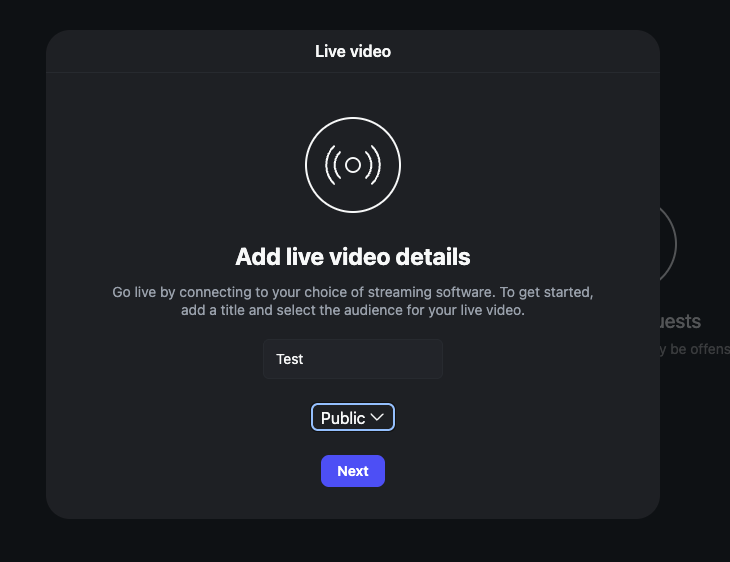
Enter a title for your live stream, then choose the audience.
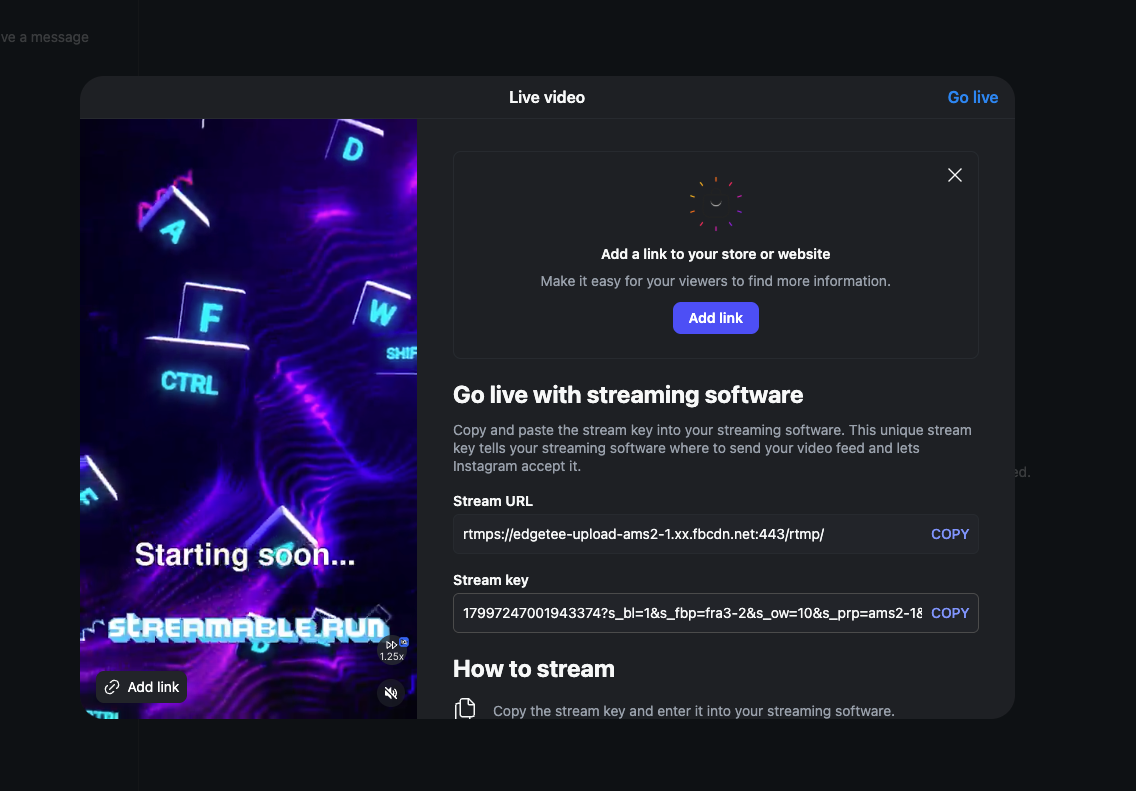
Step 4:Copy the Stream URL and Stream Key
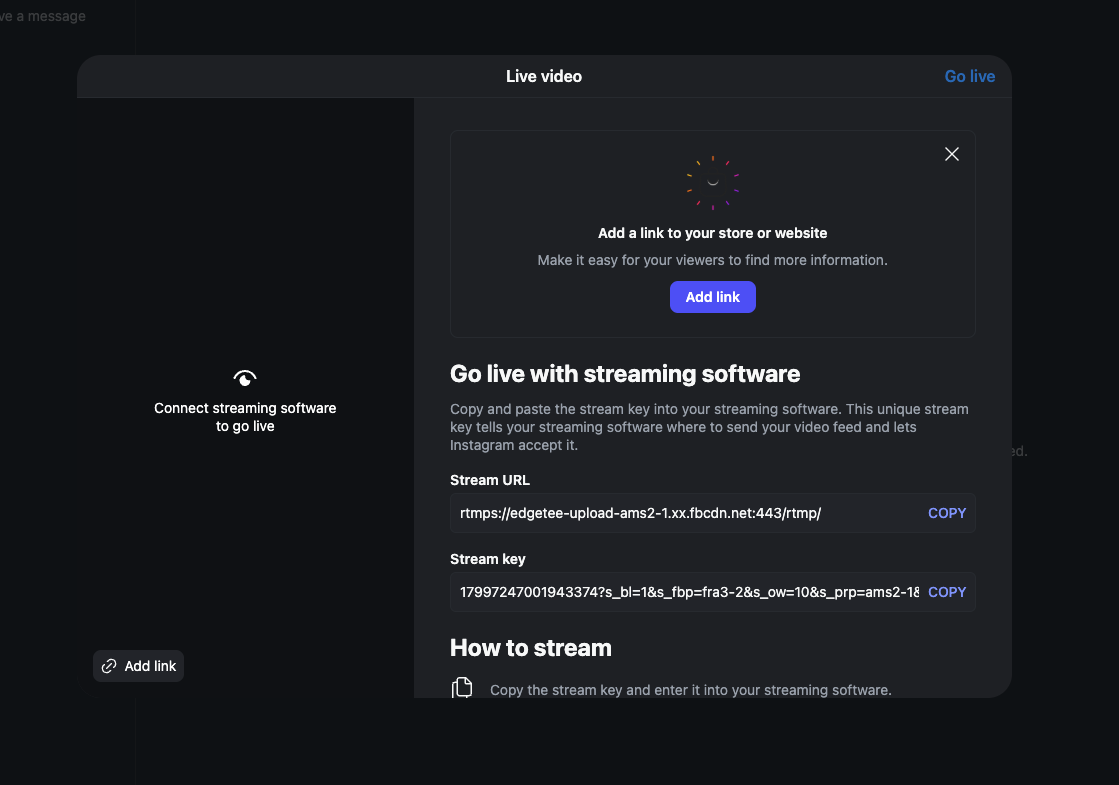
Instagram will show a Stream URL and Stream key. Keep this page open.
Step 5:Create an Instagram Destination in Streamable
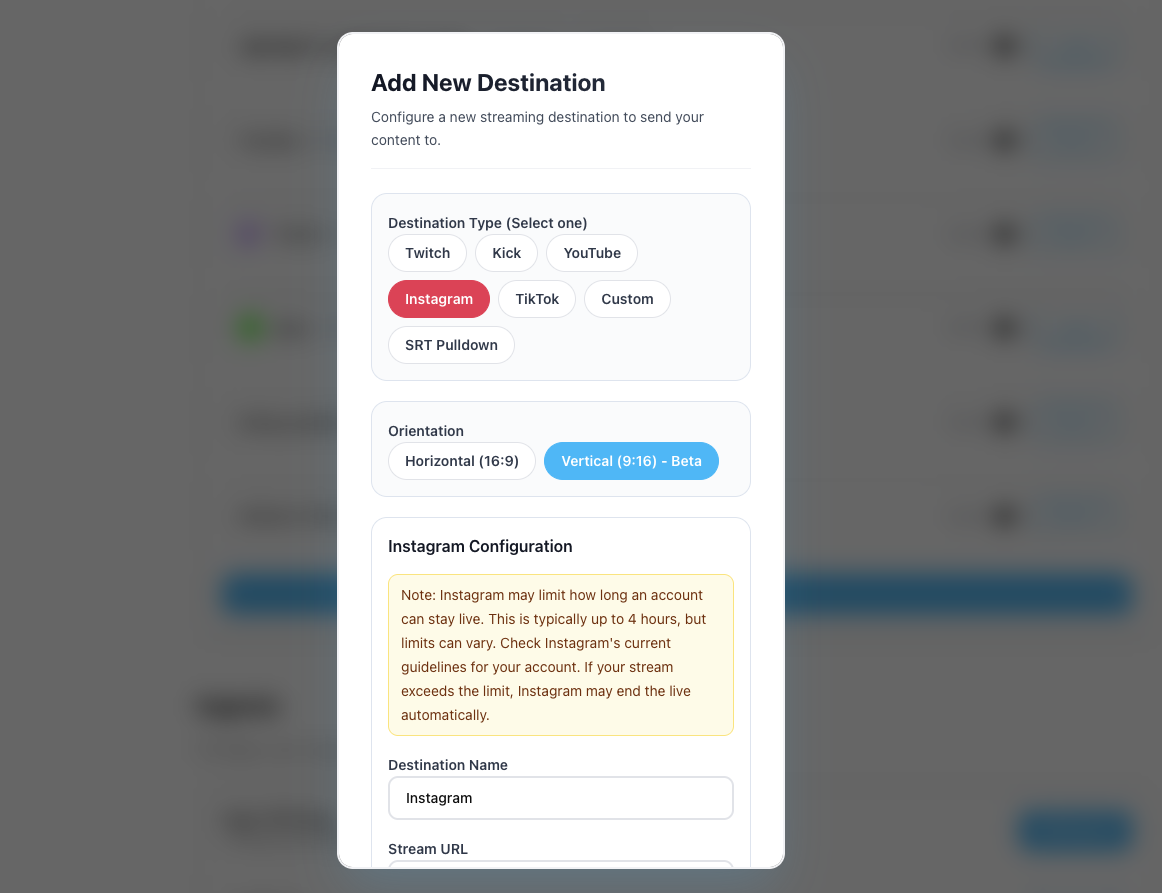
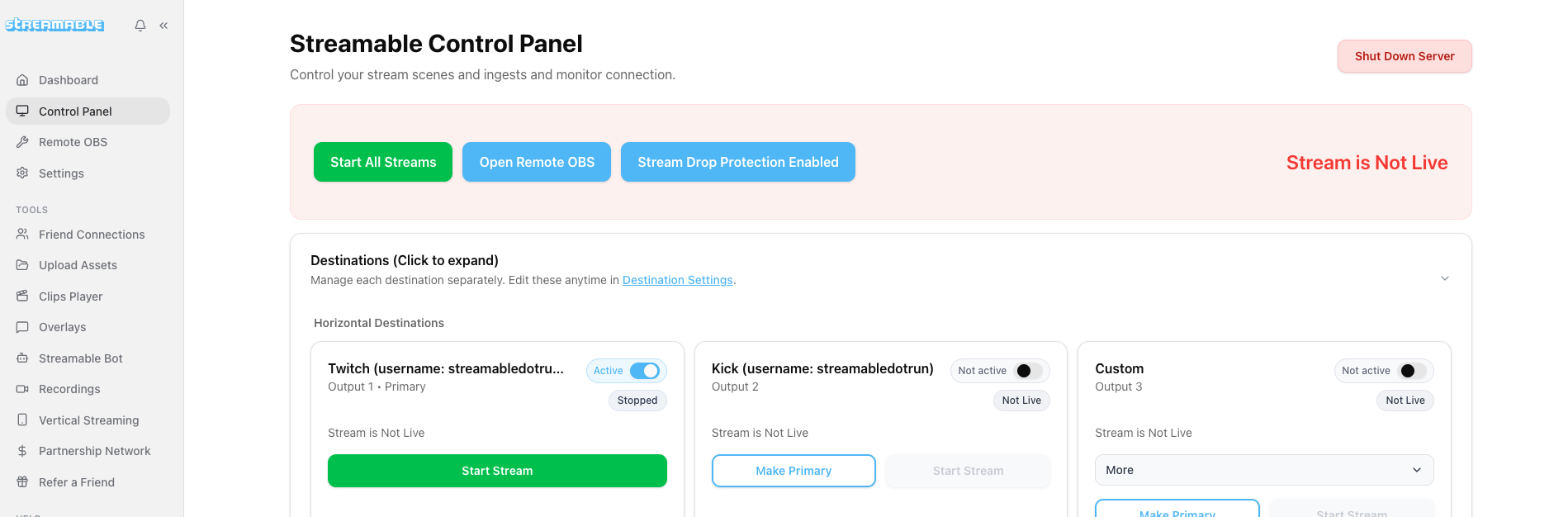
In Streamable, go to https://streamable.run/destinations and click "Add Destination > Instagram."
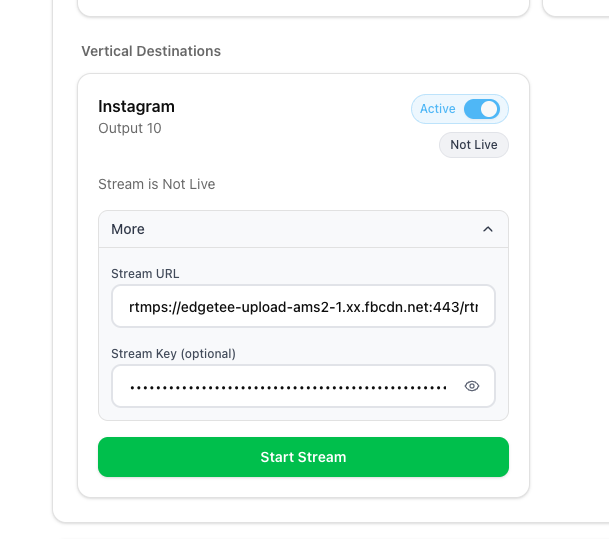
Paste the Stream URL and Stream key, then click "Create Destination."
Step 6:Start Streaming from Streamable
Start your Streamable server, then click "Start Stream."
Instagram changes the Stream key each time you go live. If it changes, update it from the Streamable Dashboard before you start.
Step 7:Go Live on Instagram
Return to Instagram. When the preview appears, click "Go Live." Happy streaming!
Follow us on Social Media
Follow along for updates and tips:



Optional: Deep-Dive FAQ
Open only if you still need extra troubleshooting context.
Why does my Instagram Stream key change?
Instagram creates a new Stream key for each live session. Update the key in Streamable before you start streaming to Instagram.
What if I do not see Live video on Instagram?
Your Instagram account may need to meet Instagram's Live requirements before the Live video option appears.